


Pragmata System Requirements PC: Complete Hardware Guide for 2026
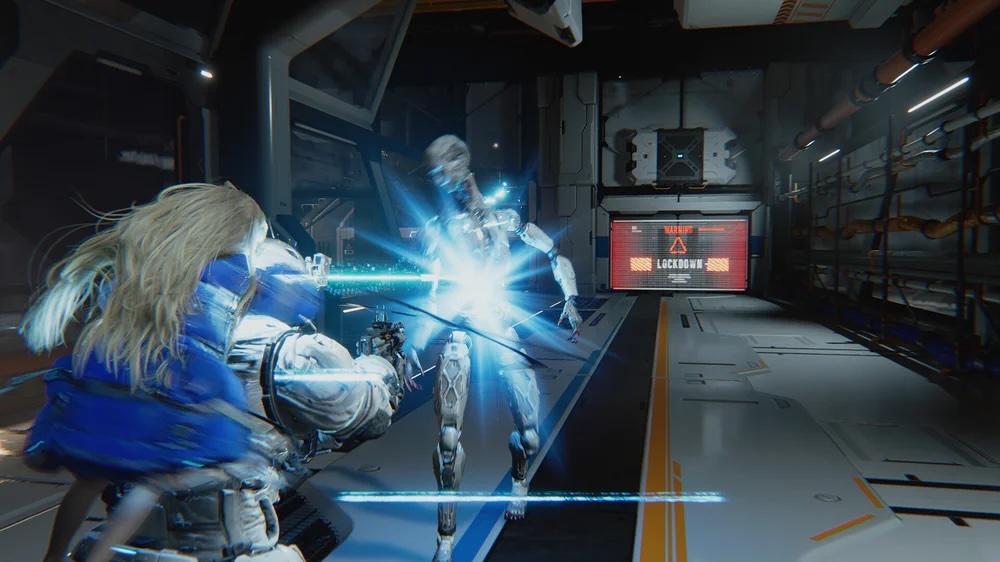
Capcom dropped jaws worldwide when Pragmata first appeared during The Game Awards. That mysterious science-fiction world featuring Hugh the spacefarer and his android companion Diana looked absolutely stunning. Current-gen exclusive visuals. Complex character models. Ray tracing reflections bouncing off lunar surfaces. PC gamers immediately started sweating.
Here’s the twist nobody expected. The actual Pragmata system requirements PC specifications tell a surprisingly generous story. Your wallet might survive this one intact.
This guide breaks down everything about running Pragmata on your computer. Whether you’re rocking aging hardware or planning strategic upgrades before launch, understanding these specs ensures you’re ready when this action-adventure title finally arrives.
Understanding Pragmata PC Specifications
Why Current-Gen Exclusivity Matters for PC Hardware
Pragmata skips PlayStation 4 and Xbox One entirely. No last-gen ports. No compromises for older architecture. This current-generation exclusive approach—spanning PlayStation 5, Xbox Series X/S, and even Nintendo Switch 2—typically signals demanding PC requirements.
Developers optimize differently without legacy hardware holding them back. They push boundaries. They implement features that older consoles simply cannot handle.
Yet “current-gen exclusive” doesn’t automatically mean wallet-destroying PC specs. The PS5 and Xbox Series X pack impressive hardware, sure. But they don’t match top-tier PC components. This creates interesting specification thresholds that balance visual quality with broader accessibility.
Capcom’s RE Engine and Visual Fidelity Expectations
The RE Engine powers Pragmata’s stunning visuals. This proprietary technology has consistently delivered exceptional PC optimization across Capcom’s recent lineup. Resident Evil Village runs beautifully on mid-range hardware. Monster Hunter Rise scales impressively across configurations.
That optimization expertise translates directly to Pragmata. Despite showcasing physics-based gameplay, complex hacking mechanics, and gorgeous environments spanning Earth to a Lunar Research Station, the specifications remain remarkably accessible.
Can I Run Pragmata on My PC?
Quick Hardware Compatibility Checklist
Before diving deep into specifications, here’s your rapid assessment framework. Check these boxes mentally as you read.
| Compatibility Tier | GPU Age | CPU Generation | RAM | Storage | OS |
|---|---|---|---|---|---|
| Minimum Experience | 2019+ (mid-range) | 2018+ (6 cores) | 16GB | 40GB+ free | Windows 11 64-bit |
| Optimal Experience | 2020+ (RTX 2060 Super tier) | 2018+ (strong single-thread) | 16GB | NVMe SSD recommended | Windows 11 64-bit |
How to Check Your Current PC Specifications
Verifying your hardware takes moments. Press Windows Key + R. Type “dxdiag” and hit enter. The System tab reveals your CPU and RAM. The Display tab shows your graphics card.
Want deeper insights? Third-party tools like Speccy or HWiNFO provide comprehensive component breakdowns. Compare your findings against the official Steam requirements below.
Pragmata Minimum Requirements Breakdown
The minimum specifications establish your entry point into Pragmata’s mysterious sci-fi world. Expect visual compromises at this tier. Playable? Absolutely. Gorgeous? You’ll need upgrades for that.
| Component | NVIDIA Option | AMD Option |
|---|---|---|
| Graphics Card | GeForce GTX 1660 (6GB VRAM) | Radeon RX 5500 XT (8GB VRAM) |
| Processor | Intel Core i5-8500 | AMD Ryzen 5 3500 |
| RAM | 16GB | |
| Operating System | Windows 11 64-bit | |
| Graphics API | DirectX 12 | |
| Storage | ~40GB | |
| Network | Broadband connection required | |
GPU Requirements: GTX 1660 and RX 5500 XT Analysis
The NVIDIA GeForce GTX 1660 represents capable 2019 mid-range hardware. Millions of gamers already own this card or something equivalent. Its inclusion as minimum spec shows Capcom’s commitment to accessibility.
That 6GB VRAM limitation matters though. Modern textures eat memory fast. Expect medium texture quality at best. Some effects may require reduction during demanding sequences—particularly when IDUS, that hostile AI antagonist, throws chaos your way.
AMD’s Radeon RX 5500 XT brings additional headroom. Despite similar raw performance, that 8GB VRAM allocation potentially allows slightly higher texture settings. Budget AMD gamers caught a small break here.
CPU Requirements: Intel i5-8500 and Ryzen 5 3500
Intel Core i5-8500 dates back to 2018’s Coffee Lake lineup. Six cores. No hyperthreading. Solid gaming performance that handles most modern titles without major complaints.
AMD Ryzen 5 3500 matches this with six Zen 2 cores. Both processors manage current games competently. Pragmata’s physics-based gameplay and hacking mechanics might stress these minimum-tier chips during complex sequences though.
RAM and Storage Considerations
Sixteen gigabytes of RAM. Standard 2026 gaming requirement. Nothing surprising here. This capacity handles game assets, Windows processes, and background applications simultaneously.
📖 Read More: Pragmata Gameplay Guide: Combat, Mechanics & 2026 Release
Storage allocation sits around 40GB. Relatively modest by modern standards. Day-one patches might expand this slightly. Installing on an NVMe SSD dramatically improves loading times—especially important when transitioning between Earth and Lunar Research Station environments.
Pragmata Recommended Specs for Optimal Performance
Stepping into recommended territory unlocks Pragmata as Capcom truly envisioned it. Smoother framerates. Enhanced visual fidelity. Diana’s android features rendered in stunning detail.
| Component | NVIDIA Option | AMD Option |
|---|---|---|
| Graphics Card | GeForce RTX 2060 Super (8GB VRAM) | Radeon RX 6600 (8GB VRAM) |
| Processor | Intel Core i7-8700 | AMD Ryzen 5 5500 |
| RAM | 16GB | |
| Operating System | Windows 11 64-bit | |
| Graphics API | DirectX 12 | |
| Storage | ~40GB (SSD Recommended) | |
| Network | Broadband connection required | |
Graphics Card Sweet Spot: RTX 2060 Super and RX 6600
The NVIDIA GeForce RTX 2060 Super adds crucial advantages over minimum specs. Eight gigabytes of VRAM. Ray tracing capability. DLSS support for performance boosts without sacrificing visual quality.
This 2019 card positions newer hardware beautifully. Own an NVIDIA GeForce RTX 3060? You’re comfortably above recommended. Rocking something like an RTX 3070 or RTX 4060? High and Ultra presets await.
AMD Radeon RX 6600 represents the red team’s 2021 mid-range champion. Eight gigabytes of VRAM. FSR support for upscaling benefits. This card handles modern titles admirably across the board.
Processor Performance: i7-8700 and Ryzen 5 5500
Intel Core i7-8700 brings hyperthreading to the table. Six cores become twelve threads. Higher clock speeds than the minimum i5-8500. These improvements maintain frame rate consistency during CPU-intensive moments.
AMD Ryzen 5 5500 jumps to Zen 3 architecture. Meaningful IPC improvements over the Ryzen 5 3500 minimum. Modern efficiency meets solid gaming performance.
Expected Visual Quality at Recommended Settings
What does recommended hardware actually deliver? Based on these specifications, expect high preset graphics at 1440p resolution. Sixty frames per second appears achievable as the target baseline.
That’s the sweet spot most gamers chase. Smooth gameplay. Sharp visuals. No constant compromises or settings juggling required.
Pragmata Steam System Requirements Overview
Windows 11 and DirectX 12 Necessity
Windows 11 64-bit sits as a hard requirement. Not Windows 10. Not optional. Windows 10 users face upgrade decisions before launch day arrives.
This requirement likely connects to DirectX 12 Ultimate features and modern API implementations. Windows 11 handles these optimally. The decision enables efficient multi-threaded rendering and reduced CPU overhead—contributing to those surprisingly accessible hardware requirements despite stunning RE Engine visuals.
Network Requirements for Online Features
Broadband internet connection appears mandatory. This single-player action-adventure clearly integrates some online functionality. Authentication? Live service elements? Cloud saves? The specifics remain unclear.
Stable internet access proves essential regardless. Plan accordingly if your connection tends toward unreliable.
Pragmata Performance Preset Expectations
Low to Medium Settings Performance Outlook
Minimum hardware delivers Medium preset visuals at best. The GTX 1660’s 6GB VRAM limitation forces texture quality reductions. Complex scenes—particularly physics-heavy sequences—may require dropping to Low settings temporarily.
Target resolution sits at 1080p. Frame rates fluctuate between 30-60 FPS depending on scene complexity. Exploring Earth locations might run smoother than action-packed Lunar Research Station encounters.
High to Ultra Settings Hardware Demands
Recommended specifications unlock High preset availability. That 1440p 60 FPS target becomes realistic. Push beyond recommended hardware—think NVIDIA GeForce RTX 3060 with Ray Tracing or AMD Radeon RX 6700 XT—and Ultra settings enter the conversation.
Ray tracing demands additional GPU headroom. DLSS and FSR support help offset this performance cost. Enable upscaling technologies if you want fancy reflections without sacrificing framerates.
📖 Read More: Pragmata Release Date: Capcom’s Lunar Odyssey is Finally Within Reach
Targeting 1080p/60fps: What You Need
The classic 1080p at 60 frames per second target requires minimum specifications at Medium settings. Recommended specs push this to High settings comfortably. Budget gamers focusing on smooth gameplay over resolution can absolutely achieve this baseline.
| Performance Target | Hardware Tier | Expected Settings |
|---|---|---|
| 1080p / 30-60 FPS | Minimum Specs | Low to Medium |
| 1080p / 60 FPS Stable | Recommended Specs | High |
| 1440p / 60 FPS | Recommended Specs | High |
| 1440p / 60 FPS + Ray Tracing | Above Recommended | High with RT |
| 4K / 60 FPS | High-End Hardware | Medium to High |
Hardware Upgrade Recommendations for Pragmata
Budget-Friendly Upgrade Path
GPU upgrades deliver maximum impact for most gamers. Prioritize graphics card improvements if your current hardware falls short.
Cards like the RTX 3060, RTX 4060, or AMD RX 6650 XT offer excellent price-to-performance ratios. Each exceeds recommended specifications comfortably. Future titles benefit too—smart investment territory.
CPU upgrades become necessary only when running processors older than specified minimums. Modern Ryzen 5 or Intel Core i5 options provide years of capable gaming performance at reasonable prices.
Future-Proofing Your Gaming Rig
Investing slightly above recommended specifications makes sense for enthusiasts. Pragmata runs beautifully while preparing your system for upcoming releases throughout 2026 and beyond.
Consider these relatively accessible requirements as baseline guidance. Competitors like Death Stranding and The Last of Us demanded similar or higher specifications. Capcom’s optimization expertise with the RE Engine clearly delivers dividends.
Capcom fans and sci-fi gaming subreddit communities have noted these generous specs with pleasant surprise. State of Play reveals and subsequent Steam page listings confirmed what seemed almost too good to believe.
Comparing Pragmata to Similar Titles
Context helps when evaluating specifications. How does Pragmata stack against comparable experiences?
| Game | Minimum GPU | Recommended GPU | Minimum RAM |
|---|---|---|---|
| Pragmata | GTX 1660 / RX 5500 XT | RTX 2060 Super / RX 6600 | 16GB |
| Death Stranding Director’s Cut | GTX 1050 / RX 560 | GTX 1060 / RX 590 | 8GB |
| Resident Evil Village | GTX 1050 Ti / RX 5500 XT | GTX 1070 / RX 5700 | 8GB |
Pragmata demands more than Capcom’s recent RE Engine titles. That current-gen exclusivity and visual ambition explains the difference. Still, these requirements remain firmly within reasonable territory for 2026 releases.
Additional Content Worth Knowing
The Pragmata Sketchbook demo offered early glimpses into gameplay systems. Those who experienced it witnessed physics-based puzzles and Diana’s unique capabilities firsthand. Expect the full release to expand these mechanics significantly.
Collectors should watch for the Diana Amiibo and special edition announcements. Capcom typically delivers quality physical goods for major releases.
Prepare Your PC for Pragmata
Capcom proved something important with Pragmata’s specifications. Stunning next-generation visuals don’t require prohibitive hardware investments. The RE Engine optimization wizardry strikes again.
Those Pragmata system requirements PC specifications welcome a broad range of gamers. Budget builds running GTX 1660 hardware can experience Hugh and Diana’s journey. Recommended-tier rigs unlock the visual spectacle Capcom showcased during major gaming events.
Windows 11 requirement aside, most capable gaming PCs from recent years qualify. Check your specifications against the tables above. Upgrade strategically if needed. You can buy Pragmata Key on itemku or Wishlist on Steam.
That Lunar Research Station awaits exploration. Your PC might already be ready for the journey.