


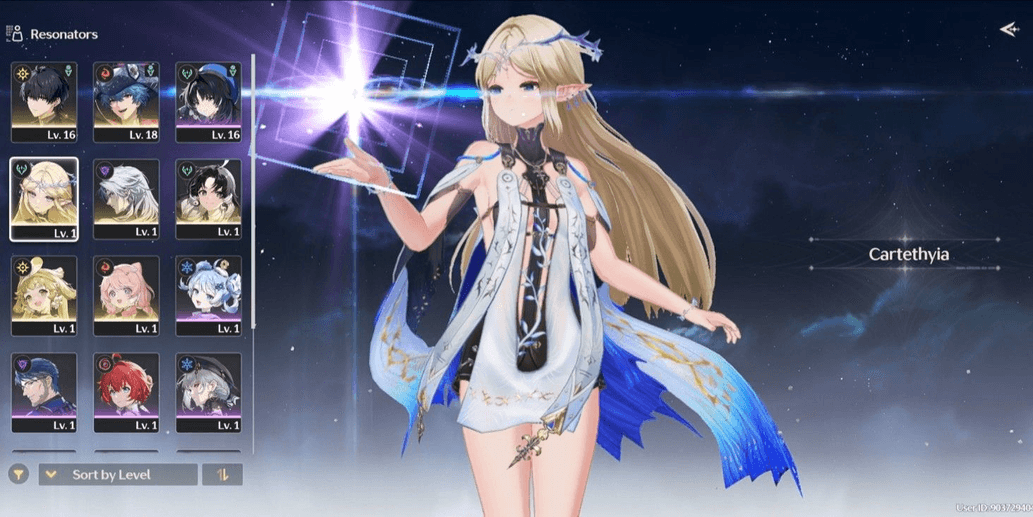
Starter SEA, UL8 || cartethyia SIGN + brant
1/4
Starter SEA, UL8 || cartethyia SIGN + brant
0.0
0 reviews
USD 10.33
Price is not final
Minimum Purchase:
1
Sold
0 (0%)
Average Delivery Time:
-
Product Description
Resonator Limited:
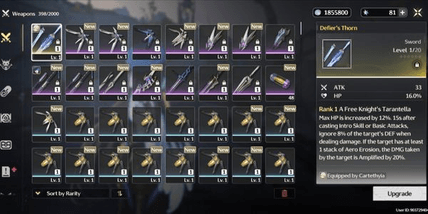
- Carthacia + Signature Weapon
- Brant
Standard Resonors:
- Verina
- Encore
- Calcharo
- Jianxin
Account Description:
- Starter UL8
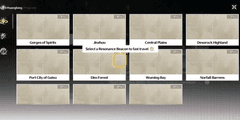
- SEA Server
- Limited Resonator Banner Rate-Off
- Login via Kuro Games Only
- Dummy Gmail (Takeover Required)
- Manual Process (No Cheating), No Third-Party Plugins
- Account Created Personally by Admin; Admin Is Not a Reseller, Ensuring the Account Is Completely Secure with No Ties to Others
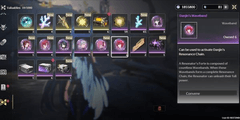
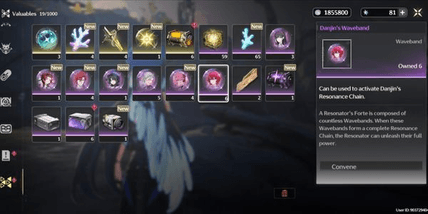
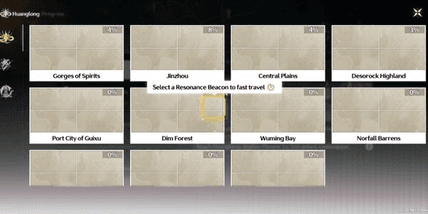
- Remaining Astrite / Radiant Tide / Forging Tide May Vary—Could Increase or Decrease from What Is Shown in the Picture 🙏
🔷 How to Secure the Gmail:
- After Purchase, Wait for the Admin to Send the Account Details, or Contact the Admin Directly to Expedite the Process
- Once the Admin Sends the Account Details, Check the Account First to Ensure Its Contents Match the Description of the Purchased Account
- After Verifying the Account, Log into the Gmail on Your Device. Typically, Logging into Gmail Requires a Code Sent to the Admin’s Device, so Contact the Admin Again to Request the Code
- Once the Admin Clicks the Code, the Gmail Can Be Logged into on the Buyer’s Device. Then, Secure the Gmail by Changing the Password and, If Needed, Adding a Recovery Phone Number and Email
- After That, Simply Remove the Admin’s Device (POCO F6). If Needed, You Can Also Request Proof from the Admin Showing the Removal of Gmail from Their Device
- And Done! The Gmail Is Secure 👌
🔷 How to Secure the Kuro Games Account:
- After Securing the Gmail, Simply Change the Kuro Games Password by Opening the Wuthering Waves Game First
- Before Logging Into the Account, There Is a "Forgot Password" Menu Below the Login Field—Click It
- Then, Enter the Kuro Games Email and Click "Get Verification Code"
- Check the Code Sent to the Gmail and Enter It in the Verification Code Field
- Enter the New Password Twice (Top and Bottom Fields), Ensuring Both Entries Match, as Mismatched Entries Will Cause Failure
- Then, Click "Confirm" and the Kuro Games Password Change Is Complete 👌
- Carthacia + Signature Weapon
- Brant
Standard Resonors:
- Verina
- Encore
- Calcharo
- Jianxin
Account Description:
- Starter UL8
- SEA Server
- Limited Resonator Banner Rate-Off
- Login via Kuro Games Only
- Dummy Gmail (Takeover Required)
- Manual Process (No Cheating), No Third-Party Plugins
- Account Created Personally by Admin; Admin Is Not a Reseller, Ensuring the Account Is Completely Secure with No Ties to Others
- Remaining Astrite / Radiant Tide / Forging Tide May Vary—Could Increase or Decrease from What Is Shown in the Picture 🙏
🔷 How to Secure the Gmail:
- After Purchase, Wait for the Admin to Send the Account Details, or Contact the Admin Directly to Expedite the Process
- Once the Admin Sends the Account Details, Check the Account First to Ensure Its Contents Match the Description of the Purchased Account
- After Verifying the Account, Log into the Gmail on Your Device. Typically, Logging into Gmail Requires a Code Sent to the Admin’s Device, so Contact the Admin Again to Request the Code
- Once the Admin Clicks the Code, the Gmail Can Be Logged into on the Buyer’s Device. Then, Secure the Gmail by Changing the Password and, If Needed, Adding a Recovery Phone Number and Email
- After That, Simply Remove the Admin’s Device (POCO F6). If Needed, You Can Also Request Proof from the Admin Showing the Removal of Gmail from Their Device
- And Done! The Gmail Is Secure 👌
🔷 How to Secure the Kuro Games Account:
- After Securing the Gmail, Simply Change the Kuro Games Password by Opening the Wuthering Waves Game First
- Before Logging Into the Account, There Is a "Forgot Password" Menu Below the Login Field—Click It
- Then, Enter the Kuro Games Email and Click "Get Verification Code"
- Check the Code Sent to the Gmail and Enter It in the Verification Code Field
- Enter the New Password Twice (Top and Bottom Fields), Ensuring Both Entries Match, as Mismatched Entries Will Cause Failure
- Then, Click "Confirm" and the Kuro Games Password Change Is Complete 👌
Offer Details


Andreann
Last online 141 days ago
This Seller isn’t Taking Orders Right Now
You can try another seller.
100% Secure Payments Guaranteed by Trade Guard
This Seller isn’t Taking Orders Right Now
Check Other Sellers
05.0 / 5.0(27)
Offer Details
Andreann
Last online 141 days ago
This Seller isn’t Taking Orders Right Now
You can try another seller.
100% Secure Payments Guaranteed by Trade Guard
This Seller isn’t Taking Orders Right Now
Check Other Sellers
Still looking for the right offer?
See All Offers