


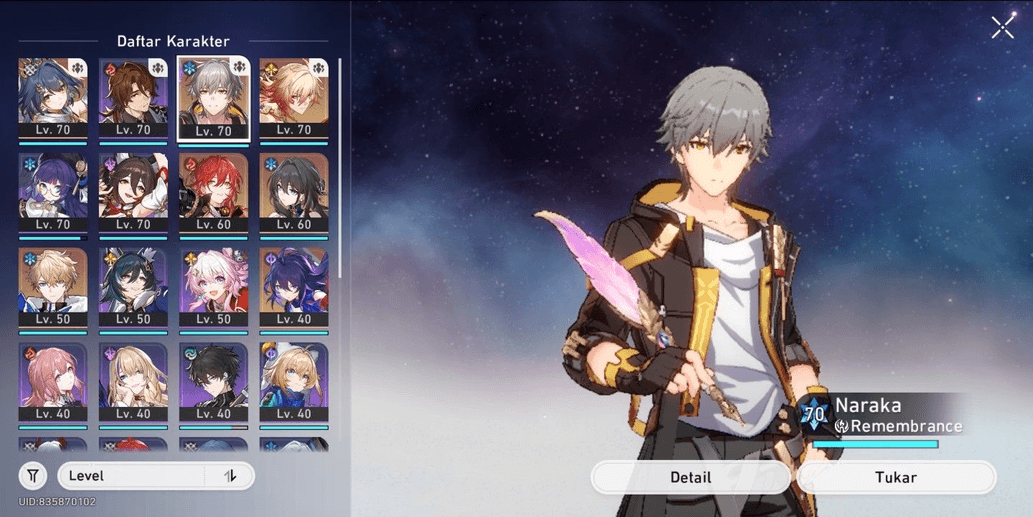
HSR ASIA | LV 60 MYDIE+YUNLI.DLL
1/3
HSR ASIA | LV 60 MYDIE+YUNLI.DLL
0.0
0 reviews
USD 2.91
Price is not final
Minimum Purchase:
1
Sold
1 (33%)
Average Delivery Time:
13 minutes
Product Description
"Welcome" to [Yeanz store], your trusted place for boosting and account sales! We offer boosting services and account sales at competitive prices, with maximum results and guaranteed account security.
Male Character
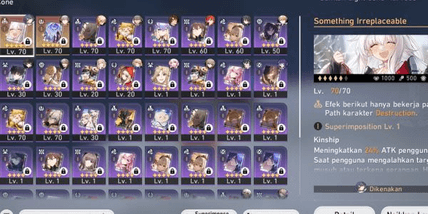
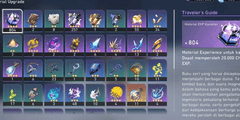
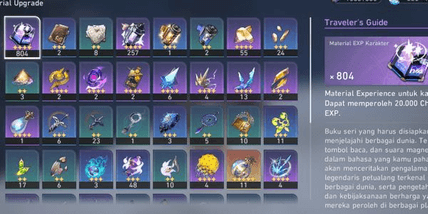
Character details, light cones, and items are shown in the screenshots.
Login Instructions:
1. Log in to the Gmail account that has been sent to you. (Use the website "mail.google.com" or the Gmail app on your phone.)
2. Open the Star Rail game and enter the email address and password as sent. Then click "Log in."
3. Complete the captcha briefly and click "Get a verification" to have the verification code sent to the Gmail inbox from step 1.
4. Open the Gmail account, check "inbox" or "all emails" to find the verification code, copy it, and paste it into the game.
5. In the game, click "Next," and you will automatically log in to the account. Done.
*To secure your password and Gmail, go to the User Center in the game. Lobby > Open Phone > Settings > User Center.
LIFETIME WARRANTY:
If anything happens to the account? 100% money back. As long as you don’t share the account or open phishing/malware links, you must provide a screenshot as proof if the account has been bound to an email and third-party accounts like FB/Twitter/Google Play in the in-game User Center menu. Most account losses occur due to unbound emails (cannot use the "forgot password" feature because recovery codes go to the bound email).
So after purchase, it is recommended to bind an email and save a screenshot as proof that the account is bound to an email.
Otherwise, if the email is bound but the account is lost, it might be a temporary error on Hoyoverse's side.
Male Character
Character details, light cones, and items are shown in the screenshots.
Login Instructions:
1. Log in to the Gmail account that has been sent to you. (Use the website "mail.google.com" or the Gmail app on your phone.)
2. Open the Star Rail game and enter the email address and password as sent. Then click "Log in."
3. Complete the captcha briefly and click "Get a verification" to have the verification code sent to the Gmail inbox from step 1.
4. Open the Gmail account, check "inbox" or "all emails" to find the verification code, copy it, and paste it into the game.
5. In the game, click "Next," and you will automatically log in to the account. Done.
*To secure your password and Gmail, go to the User Center in the game. Lobby > Open Phone > Settings > User Center.
LIFETIME WARRANTY:
If anything happens to the account? 100% money back. As long as you don’t share the account or open phishing/malware links, you must provide a screenshot as proof if the account has been bound to an email and third-party accounts like FB/Twitter/Google Play in the in-game User Center menu. Most account losses occur due to unbound emails (cannot use the "forgot password" feature because recovery codes go to the bound email).
So after purchase, it is recommended to bind an email and save a screenshot as proof that the account is bound to an email.
Otherwise, if the email is bound but the account is lost, it might be a temporary error on Hoyoverse's side.
Offer Details

Yeanz Store2
Online
This Seller isn’t Taking Orders Right Now
You can try another seller.
100% Secure Payments Guaranteed by Trade Guard
This Seller isn’t Taking Orders Right Now
Check Other Sellers
Offer Details
Yeanz Store2
Online
This Seller isn’t Taking Orders Right Now
You can try another seller.
100% Secure Payments Guaranteed by Trade Guard
This Seller isn’t Taking Orders Right Now
Check Other Sellers
Still looking for the right offer?
See All Offers