


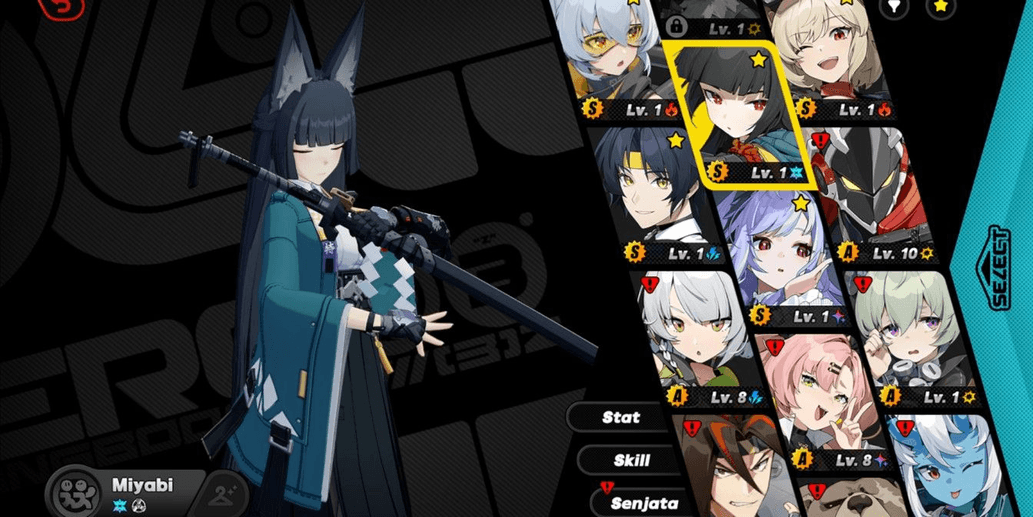
ZZZ ASIA | STARTER LV8 MMC MIYABI +VIVIAN +BURNICE +S11
1/5

ZZZ ASIA | STARTER LV8 MMC MIYABI +VIVIAN +BURNICE +S11
0.0
0 reviews
USD 26.14
Price is not final
 Instant
Minimum Purchase:
1
Sold
1 (100%)
Average Delivery Time:
-
Product Description
Login Hoyoverse (Gmail set and username unset)
MC Wise
Birthday unset
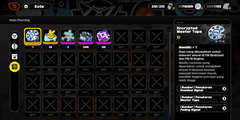
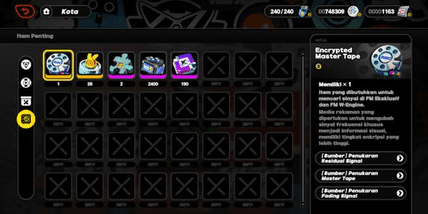
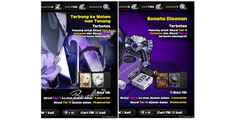
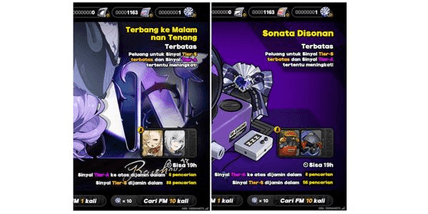
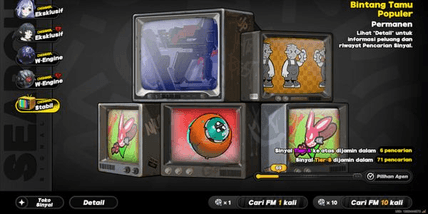
Pity banner and bangboo rank S as shown in the screenshot (event character rate-off banner and weapon rate-off banner)
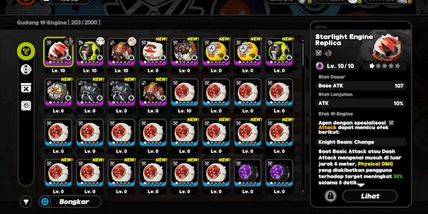
Other details as shown in the screenshot
The account will be automatically sent within approximately 1 minute after payment. You can check it in the order menu (Home > Account > Shopping > Already Sent)
How to log in:
1. Log in to the Gmail account that has been sent. (Website "mail.google.com" or the Gmail app on your phone. If phone verification is required, just enter your phone number.)
2. Open the game and enter the email address and password as provided. Then press "Log in."
3. Complete the captcha briefly and press "Get a verification" to send the verification code to the Gmail inbox from step 1.
4. Open the Gmail account, check the "inbox" or "all emails" to find the verification code. Copy the code and paste it into the game.
5. In the game, press "Next," and you will automatically enter the in-game account. Done.
*To secure the password and Gmail, you can use the User Center in the game. In-game, open the HP menu (press ESC for PC or the top-left icon on mobile > Options > Account > User Center.)
Note:
- If you see a notification saying "Too much request/too many requests" when changing the email, it means there is still a cooldown period. You need to wait 1 to 3 weeks for the cooldown to end. You can keep the Gmail I provided and secure both the Gmail and Hoyoverse passwords.
- If you request a code to change the email or password but the code hasn't arrived in the inbox, wait for about 4-5 minutes. Avoid spamming the resend button to prevent errors/bugs like the "Too much request" notification.
MC Wise
Birthday unset
Pity banner and bangboo rank S as shown in the screenshot (event character rate-off banner and weapon rate-off banner)
Other details as shown in the screenshot
The account will be automatically sent within approximately 1 minute after payment. You can check it in the order menu (Home > Account > Shopping > Already Sent)
How to log in:
1. Log in to the Gmail account that has been sent. (Website "mail.google.com" or the Gmail app on your phone. If phone verification is required, just enter your phone number.)
2. Open the game and enter the email address and password as provided. Then press "Log in."
3. Complete the captcha briefly and press "Get a verification" to send the verification code to the Gmail inbox from step 1.
4. Open the Gmail account, check the "inbox" or "all emails" to find the verification code. Copy the code and paste it into the game.
5. In the game, press "Next," and you will automatically enter the in-game account. Done.
*To secure the password and Gmail, you can use the User Center in the game. In-game, open the HP menu (press ESC for PC or the top-left icon on mobile > Options > Account > User Center.)
Note:
- If you see a notification saying "Too much request/too many requests" when changing the email, it means there is still a cooldown period. You need to wait 1 to 3 weeks for the cooldown to end. You can keep the Gmail I provided and secure both the Gmail and Hoyoverse passwords.
- If you request a code to change the email or password but the code hasn't arrived in the inbox, wait for about 4-5 minutes. Avoid spamming the resend button to prevent errors/bugs like the "Too much request" notification.
Offer Details


RuneArkhive
Last online 14 hours ago
This Seller isn’t Taking Orders Right Now
You can try another seller.
100% Secure Payments Guaranteed by Trade Guard
This Seller isn’t Taking Orders Right Now
Check Other Sellers
Offer Details
RuneArkhive
Last online 14 hours ago
This Seller isn’t Taking Orders Right Now
You can try another seller.
100% Secure Payments Guaranteed by Trade Guard
This Seller isn’t Taking Orders Right Now
Check Other Sellers
Still looking for the right offer?
See All Offers