


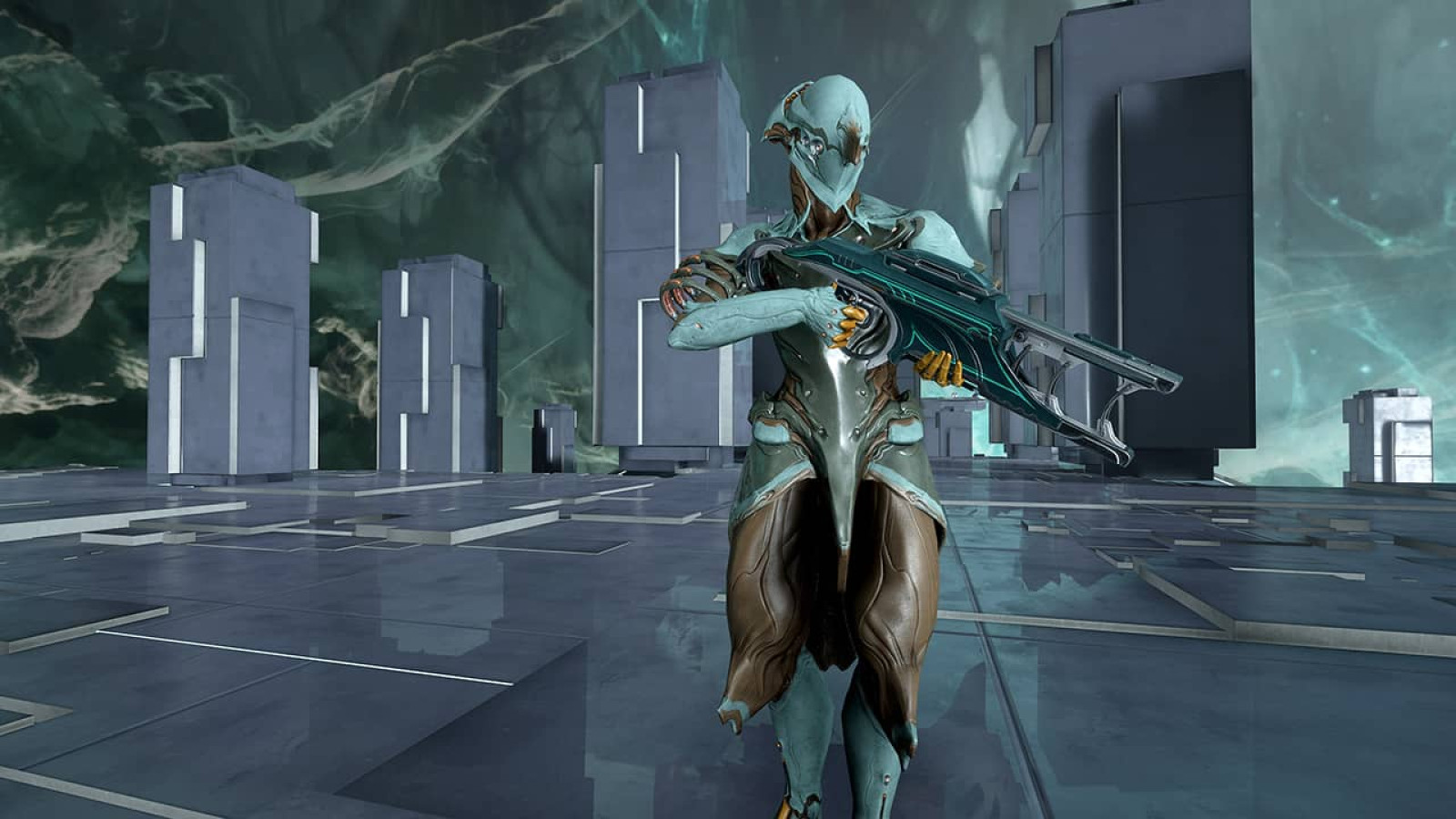
Warframe Crossplay: Complete Guide to Cross Platform Play and Save in 2025
So you’re wondering: is Warframe crossplay actually a thing? Short answer—yes. The long answer involves a brilliant cross platform system that Digital Extremes built to unite every Tenno across the Origin System.
This free-to-play third-person looter shooter now lets you squad up with friends regardless of their gaming hardware. PlayStation players running missions with PC veterans. Nintendo Switch owners joining Xbox squads for Eidolon hunts. The walls between platforms crumbled completely.
Let’s break down everything you need to know about Warframe’s cross platform functionality. From initial setup to trading restrictions, this guide covers it all.
Understanding Warframe Cross Platform Functionality
What Cross Platform Play Means for Tenno
Warframe’s crossplay system runs on two separate pillars. First pillar: real-time multiplayer across different hardware. Second pillar: cross platform save functionality that carries your progression everywhere.
These systems complement each other beautifully. Cross platform play handles the social aspect—your friend on PlayStation 5 can join your Steam squad without friction. Cross platform save tackles mobility—grind on your gaming PC at home, then continue that same progression on Nintendo Switch during your commute.
The action RPG experience remains identical regardless of platform. Same Warframes. Same missions. Same loot tables. Global matchmaking pools everyone together into one massive Tenno community.
Cross Save vs Cross Play: Key Differences
Many players confuse these terms. They’re related but distinct features.
| Feature | What It Does | Primary Benefit |
|---|---|---|
| Cross Platform Play | Enables real-time multiplayer between different platforms | Play with friends on any hardware |
| Cross Platform Save | Syncs account progression across all linked platforms | One account, multiple devices |
| Account Linking | Connects platform accounts to a unified Cross Platform Save Account | Permanent account unification |
Cross platform play works automatically through global matchmaking. Cross platform save requires deliberate account linking through Warframe’s official portal. You can use one without the other, but combining both delivers the ultimate flexibility.
Warframe Crossplay Status 2025
The current implementation supports an impressive platform roster. Every major gaming ecosystem connects to the unified Tenno network.
| Platform | Cross Play Status | Cross Save Status |
|---|---|---|
| PC (Windows) | Fully Supported | Hub Account Required |
| Steam | Fully Supported | Fully Supported |
| Epic Games Store | Fully Supported | Fully Supported |
| PlayStation 4 | Fully Supported | Fully Supported |
| PlayStation 5 | Fully Supported | Fully Supported |
| Xbox One | Fully Supported | Fully Supported |
| Xbox Series X/S | Fully Supported | Fully Supported |
| Nintendo Switch | Fully Supported | Fully Supported |
| iOS | Fully Supported | Fully Supported |
| Android | Pending Release | Compatible Upon Launch |
No sub-networks exist. No partial restrictions apply. If your platform runs Warframe with cross features enabled, you’re part of the unified player population.
How to Enable Crossplay in Warframe
Prerequisites Before Linking Accounts
Here’s the architectural requirement that catches many players off guard. Every Cross Platform Save Account must route through a PC Warframe account. This PC account serves as your central hub for account management.
Don’t panic if you’ve never touched PC gaming. You don’t need to download Warframe on PC. You don’t need gaming PC hardware. Simply create a free PC account through the official Warframe website. That account becomes your management portal.
Before touching any linking options, audit your existing platform accounts thoroughly. Document these critical elements:
| Progression Element | Why It Matters |
|---|---|
| Mastery Rank | Represents total account progression and unlocks |
| Completed Quests | Story progress and cinematic unlocks |
| Syndicate Ranks | Faction standing across all groups |
| Focus Schools | Operator ability investments |
| Intrinsics | Railjack progression categories |
| Helminth Unlocks | Subsumation progress and abilities |
| Platinum Balance | Premium currency holdings |
| Rare Items | TennoGen, Founder items, discontinued cosmetics |
This audit becomes absolutely critical during Primary Account selection. Trust me—you don’t want surprises after an irreversible decision.
Step-by-Step Account Connection Process
Navigate to the official Warframe account management portal. Sign in using your PC account credentials. The interface displays options to link additional platform accounts sequentially—not all at once.
Select your first platform for connection. The system redirects you through that platform’s native authentication. PlayStation Network for Sony consoles. Xbox Live for Microsoft hardware. Nintendo Account for Switch. Apple ID for iOS devices.
Upon successful authentication, a confirmation screen appears. Read it carefully. This screen details exactly what happens next.
The critical decision arrives: Primary Account selection. This choice determines which account’s data survives the merge. Your Primary Account’s progression, inventory, and complete history persist. Everything on secondary linked accounts gets permanently overwritten.
📖 Read More: Warframe Tier List 2026: Complete Meta Rankings for Every Playstyle
Gone forever. No recovery possible.
Selecting Your Primary Account Wisely
Account linking carries absolute permanence. Digital Extremes cannot reverse this process. Support tickets won’t restore overwritten accounts. Lost items from secondary accounts vanish into the void permanently.
General wisdom suggests selecting the account with highest Mastery Rank and most completed content. But nuance matters here.
| Selection Factor | Consideration |
|---|---|
| Mastery Rank | Higher MR usually indicates more progression |
| Quest Completion | Story progress and cinematic content unlocks |
| Platinum Holdings | Premium currency doesn’t combine—pick the richer account |
| Founder Status | Original 2012-2013 Founder packages are irreplaceable |
| Exclusive Cosmetics | Discontinued items, event rewards, platform exclusives |
| TennoGen Items | Community-created cosmetics you’ve purchased |
| Clan Membership | Your role and research access in your Clan |
A lower Mastery Rank account containing Excalibur Prime might outweigh a higher-ranked account without it. Founder items never return. Make your choice accordingly.
Platform Compatibility Deep Dive
Can PC and PS5 Play Warframe Together?
Absolutely yes. A PC player hosting an Arbitration can have PlayStation 5 squadmates join through standard matchmaking or direct invitation. Mission types function identically. Difficulty modifiers apply equally. Content access remains consistent across the squad.
The hosting player’s hardware determines session stability, but gameplay synchronizes perfectly across all participants. Your four-player squad could theoretically contain PC, PlayStation, Xbox, and Switch players completing the same Sortie mission simultaneously.
Regional chat connects everyone too. Relays become truly global gathering spaces where Tenno from every platform mingle and trade.
Warframe Xbox PS4 Crossplay Explained
The historical console rivalry means nothing in Warframe’s implementation. Xbox One, Xbox Series X/S, PlayStation 4, and PlayStation 5 users share identical matchmaking pools. They interact freely in Relays. They join each other’s Clans and Alliances.
Account linking between these competing ecosystems follows identical procedures. An Xbox player can designate their Microsoft-linked account as Primary, then connect their PlayStation account. Playing on Sony hardware then accesses the Primary account’s full progression.
Cross-platform voice chat functions natively between these platforms. Squad communication requires no third-party solutions.
Nintendo Switch Cross Save Implementation
Nintendo Switch users historically faced content parity delays. Nintendo’s certification processes sometimes meant waiting for updates that PC and other consoles already received.
Cross platform save partially bypasses this limitation. Progression earned on faster-updating platforms becomes accessible on Switch. Your shiny new Warframe acquired on PC appears in your Switch arsenal. Content requiring platform-specific updates may temporarily lock until certification completes.
The hybrid nature of Switch hardware makes it particularly suited for cross save benefits. Docked sessions at home continue seamlessly in handheld mode during travel. That same progress syncs back to your PC when you return.
Playing Warframe Mobile with PC Players
Warframe Mobile brought the sci-fi co-op experience to iOS devices while maintaining full cross platform compatibility. Mobile players appear in standard matchmaking pools. They join squads alongside desktop and console players without restrictions.
The touch interface adapts Warframe’s complex control scheme elegantly. Cross save ensures your mobile grinding sessions contribute to the same account progression as your gaming PC sessions. Knock out daily Syndicate missions during lunch break, then tackle Steel Path at home.
Android compatibility arrives upon that version’s official release. The integration architecture already exists—Android players will join the unified network immediately upon launch.
Cross Progression Guide: Merging Your Warframe Journey
How Account Merging Actually Works
The term “merge” misleads many players. Warframe doesn’t combine two accounts into one super-hybrid containing everything from both. The system selects one account’s complete data to propagate across all connected platforms while discarding everything else.
📖 Read More: Warframe Best Weapons 2026: Complete Tier List & Builds
Picture it this way. Your Mastery Rank 30 PC account and Mastery Rank 15 PlayStation account don’t become a combined MR45 powerhouse with merged inventories. Selecting the PC account as Primary means MR30 progression becomes accessible on PlayStation. The MR15 account’s unique items—its Platinum, its mods, its Warframes—vanish permanently.
One survives. Others disappear. Choose wisely.
What Transfers During Account Linking
Primary Account selection preserves comprehensive progression data. Digital Extremes designed the system to carry virtually everything that matters.
| Preserved Element | Details |
|---|---|
| Quest Progress | All completed quests and story progression |
| Syndicate Standing | Reputation and rank across all factions |
| Focus System | Pool accumulation and school unlocks |
| Intrinsics | Railjack category investments |
| Helminth System | Subsumation progress and unlocked abilities |
| Active Nemeses | Current Kuva Liches or Sisters of Parvos |
| Complete Inventory | All Warframes, weapons, mods, and items |
| Cosmetics | Skins, syandanas, armor sets, and decorations |
An important update arrived on June 19, 2024. Items purchased with real money on any linked account now consolidate to the Primary Account during linking. Players who linked before this date received retroactive application. Affected accounts got an inbox message confirming these purchases were added.
This change addressed a major community concern. Previously, real-money purchases on secondary accounts simply vanished. The updated system preserves your financial investments.
Understanding Progression Unification
Post-linking, only one progression thread exists. Playing on PlayStation advances the exact same account that playing on PC advances. No desynchronization occurs. No separate save states exist.
Every action on any platform reflects immediately across all platforms. Complete a quest on Switch. Log into Steam. Quest remains completed. Earn Syndicate standing through Warframe Mobile. Check your console. Standing reflects accurately.
This unification extends to time-limited content. Nightwave progress tracks universally. Seasonal events count across all devices. Missing a day on console doesn’t create gaps—logging into mobile maintains your daily tribute streak perfectly.
Warframe Crossplay Trading Restrictions
Platinum Transfer Mechanics Between Platforms
Platinum handling gets complicated due to differing storefront agreements. Sony, Microsoft, Nintendo, and Apple each have unique policies regarding premium currency purchased through their ecosystems.
Your shared Platinum wallet contains all Platinum associated with your Cross Platform Save Account. Platinum earned through player trading moves freely. Platinum awarded through promotions or events transfers without issues.
Platinum purchased directly through platform storefronts may carry spending restrictions. Exact limitations vary based on evolving storefront policies. The general principle: earned Platinum flows freely, purchased Platinum may have platform tags affecting certain transactions.
Trading Limitations You Must Know
Cross-play trading functions between platforms without fundamental barriers. A PC player can trade Rivens with a Nintendo Switch player in any Relay or Clan Dojo. The marketplace operates as a unified space now.
Rare items previously commanding premium prices on isolated console markets now compete in the broader cross-platform economy. Supply increased dramatically when populations merged. Prices stabilized across what were once separate ecosystems.
TennoGuard 2FA remains essential for trading security. Enable it before engaging in high-value transactions regardless of platform.
Market Implications for Cross-Platform Traders
The unified economy shifted market dynamics significantly. Players tracking Warframe Forums, r/Warframe discussions, and Warframe Discord trading channels noticed immediate price adjustments when crossplay launched.
Sellers gained access to vastly larger buyer pools. Buyers found more competitive pricing through increased competition. The overall market matured into something more closely resembling efficient pricing.
Cross Platform Matchmaking System
How Matchmaking Works Across Platforms
Global matchmaking pools every platform together. Your squad searches encompass the entire Tenno population. Queue times improved dramatically for obscure mission types that previously struggled with platform-specific population limits.
📖 Read More: Best Warframe Build Guide 2026: Steel Path & Endgame Meta
The system prioritizes connection quality over platform matching. Geographic proximity matters more than hardware similarity. A local PlayStation player provides better ping than a distant PC player.
Host migration—that sometimes frustrating interruption when a squad leader disconnects—handles cross-platform transitions smoothly. The game selects the next-best host regardless of their platform.
Squad Formation with Mixed Platform Players
Forming squads across platforms works through several methods. Direct friend invitations function if you’ve added cross-platform players to your friends list. Clan and Alliance membership provides another pathway—your Clan roster shows online members across all platforms.
Public matchmaking automatically mixes platforms based on mission parameters and connection quality. You might not even notice your squadmates play on different hardware unless you check their profile details.
Troubleshooting Common Crossplay Issues
Warframe Crossplay Chat Not Working Solutions
Chat connectivity problems between platforms typically stem from NAT type configurations. Open NAT settings allow the smoothest cross-platform communication. Strict NAT creates barriers.
| Issue | Potential Solution |
|---|---|
| Chat not displaying | Restart game client and relog |
| Messages not sending | Check NAT type settings on your platform |
| Regional chat missing | Verify cross-platform play toggle is enabled |
| Voice chat failing | Test microphone permissions in system settings |
| Persistent failures | Submit support ticket through official portal |
Restarting the game client resolves temporary synchronization failures in most cases. Persistent problems affecting specific platform combinations warrant official support tickets.
Connection Problems Between Platforms
Cross-platform connections occasionally hiccup during peak traffic periods. Server-side issues affect all platforms simultaneously when they occur. Check official Warframe social channels and community spaces like r/Warframe for outage confirmations before troubleshooting locally.
Individual connection problems often trace to local network configurations. Port forwarding, firewall exceptions, and router settings impact cross-platform stability.
Mobile Crossplay: iOS and Android Integration
Warframe Mobile Crossplay Release Status
iOS integration launched successfully, bringing the full Warframe experience to Apple devices. Cross platform compatibility arrived from day one. Mobile players join the unified network immediately upon account linking.
The Warframe Companion App serves different purposes than Warframe Mobile. The Companion App manages Foundry crafting and extractions remotely. Warframe Mobile delivers the actual gameplay experience with touch controls.
Mobile-to-Console Gameplay Experience
Playing alongside console or PC players from mobile hardware works seamlessly. Mission difficulty doesn’t scale based on platform. Enemy AI behaves identically. Loot drops follow standard tables.
Touch controls adapt the complex third-person shooter mechanics intelligently. Dedicated mobile players compete effectively in standard content. High-level challenges like Steel Path or Eidolon hunting may favor traditional controller or keyboard setups, but everything remains accessible.
Android Compatibility Timeline
Android players await their turn. Digital Extremes confirmed Android compatibility arrives upon that version’s official release. The cross-platform infrastructure already accounts for Android integration.
Upon launch, Android devices will immediately access the unified matchmaking pools and cross save functionality. No separate rollout phases. No delayed feature implementation.
Frequently Asked Questions About Warframe Crossplay
| Question | Answer |
|---|---|
| Is Warframe crossplay between all platforms? | Yes—PC, PlayStation, Xbox, Switch, and iOS all connect. Android joins upon release. |
| Do I need a PC to use cross save? | You need a PC Warframe account as your hub, but not PC hardware. |
| Can I undo account linking? | No. Linking is permanent and irreversible. |
| What happens to my secondary account? | Secondary account data gets permanently overwritten and becomes inaccessible. |
| Does Platinum transfer between platforms? | Earned Platinum transfers freely. Purchased Platinum may have platform restrictions. |
| Can I trade with players on different platforms? | Yes. Cross-play trading functions normally in Relays and Dojos. |
| Will I lose real-money purchases? | As of June 2024, real-money purchases consolidate to your Primary Account. |
| Does my Clan work across platforms? | Yes. Clan membership persists and you can interact with clanmates on any platform. |
Making Your Cross Platform Decision
Warframe’s cross platform system represents one of the most comprehensive implementations in gaming. The freedom to play anywhere, with anyone, using one unified account—that’s the dream Digital Extremes delivered.
The permanence of account linking demands careful consideration. Audit your accounts thoroughly. Document valuable items. Consider what matters most before clicking that confirmation button.
Once linked, the benefits compound quickly. No more platform isolation. No more duplicate grinding. No more missing out because your friends chose different hardware.
TennoGen items you love. The Synkra Syandana you earned at TennoCon. Your carefully built Fashion Frame loadouts. Everything travels with you across every device in your Cross Platform Save Account.
Welcome to the unified Origin System, Tenno. The entire community plays together now.