


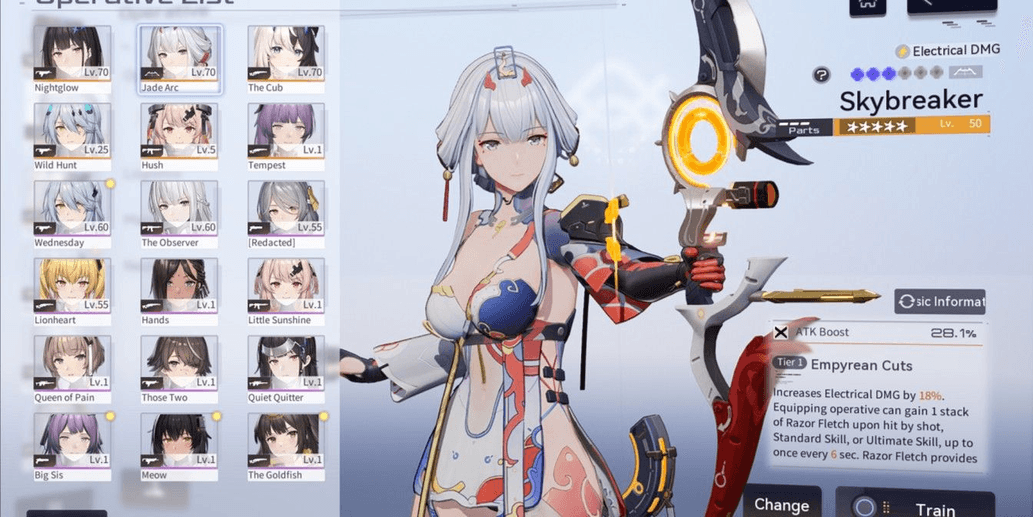
SB SEA | LV71 CHENXING'JADE+SIGN +ENYA'TEMPEST +EATCHEL +YAO'NIGHT +2'STD
SB SEA | LV71 CHENXING'JADE+SIGN +ENYA'TEMPEST +EATCHEL +YAO'NIGHT +2'STD
1/5
SB SEA | LV71 CHENXING'JADE+SIGN +ENYA'TEMPEST +EATCHEL +YAO'NIGHT +2'STD
0.0
0 reviews
USD 9.86
Price is not final
Minimum Purchase:
1
Sold
0 (0%)
Average Delivery Time:
-
Product Description
Login via email seasun (single login gmail)
Server SEA (Southeast Asia)
Pity guarantee banner char 0/100, guarantee wp 0/80, banner 50/50 char 10/80, banner 50/50 wp 25/60
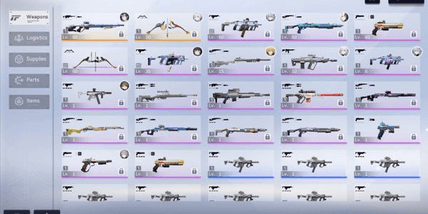
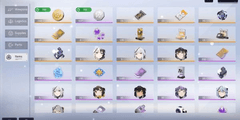
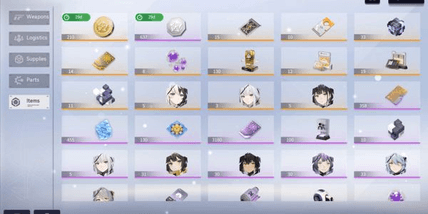
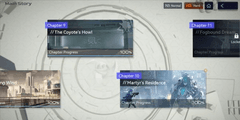
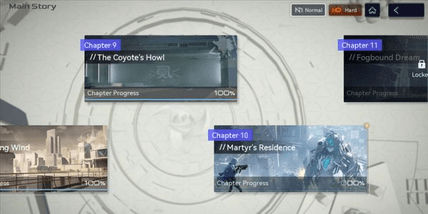
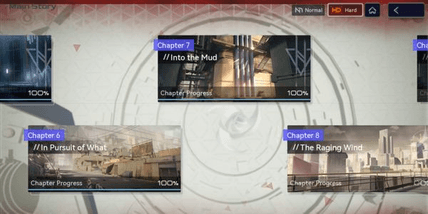
Account details can be checked according to the screenshot.
The account will be automatically sent within approximately 1 minute after payment, you can check it in the order menu (Home > Account > Shopping > Already sent)
How to log in to the account:
1. Enter the email and password that have been sent via instant delivery
2. Check the agreement, then log in. Done
How to secure the account for those familiar with Hoyoverse login (Genshin, Star Rail, ZZZ, etc.):
1. Go to the website: https://account.amazingseasun.com/, the rest you probably know how to change the email and password. If you don't know, you can also use the method below.
How to secure the account:
1. In the lobby, go to the settings menu (press the gear button in the top right corner of the lobby)
2. Select the "Other" category, then choose "Return to login screen - go to page"
3. You will be directed to the title screen menu, select "Forgot password", then enter the email and complete the verification, the code will be sent to the Gmail inbox.
4. Log in to the Gmail account that has been sent. (website "mail.google.com" or the Gmail app on your phone. If asked for phone verification, just enter your phone number)
5. Go to the Gmail, check "inbox" or "all emails" to get the verification code, copy the code and paste it into the game.
6. Change the password to your desired one.
7. Don't forget to secure the Gmail password as well. DONE
Server SEA (Southeast Asia)
Pity guarantee banner char 0/100, guarantee wp 0/80, banner 50/50 char 10/80, banner 50/50 wp 25/60
Account details can be checked according to the screenshot.
The account will be automatically sent within approximately 1 minute after payment, you can check it in the order menu (Home > Account > Shopping > Already sent)
How to log in to the account:
1. Enter the email and password that have been sent via instant delivery
2. Check the agreement, then log in. Done
How to secure the account for those familiar with Hoyoverse login (Genshin, Star Rail, ZZZ, etc.):
1. Go to the website: https://account.amazingseasun.com/, the rest you probably know how to change the email and password. If you don't know, you can also use the method below.
How to secure the account:
1. In the lobby, go to the settings menu (press the gear button in the top right corner of the lobby)
2. Select the "Other" category, then choose "Return to login screen - go to page"
3. You will be directed to the title screen menu, select "Forgot password", then enter the email and complete the verification, the code will be sent to the Gmail inbox.
4. Log in to the Gmail account that has been sent. (website "mail.google.com" or the Gmail app on your phone. If asked for phone verification, just enter your phone number)
5. Go to the Gmail, check "inbox" or "all emails" to get the verification code, copy the code and paste it into the game.
6. Change the password to your desired one.
7. Don't forget to secure the Gmail password as well. DONE
Offer Details

RuneArkhive
Last online 1 day ago
This Seller isn’t Taking Orders Right Now
You can try another seller.
100% Secure Payments Guaranteed by Trade Guard
This Seller isn’t Taking Orders Right Now
Check Other Sellers
Offer Details
RuneArkhive
Last online 1 day ago
This Seller isn’t Taking Orders Right Now
You can try another seller.
100% Secure Payments Guaranteed by Trade Guard
This Seller isn’t Taking Orders Right Now
Check Other Sellers
Still looking for the right offer?
See All Offers