


Get Belt Phase 1
1/1
Get Belt Phase 1
5.0
3 reviews
USD 0.29
Price is not final
Sold
3 Order
Average working time
15 hours
Working time
Product Description
Welcome to Robuxmm
Blox Fruits Boosting Service!
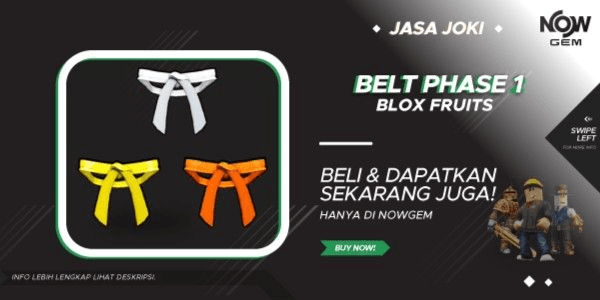
Boosting for Belt Phase 1 (White, Yellow, Orange)
Note: Only for Normal Raids, (Dough & Phoenix) not included
Before purchasing, ensure your account meets the requirements *If applicable
- REQUIREMENTS
*Already unlocked Sea 3
*Already have Dragon Talon (Mastery Level must be 500+)
❗️IMPORTANT NOTE❗️
FOLLOW THESE STEPS TO SPEED UP YOUR BOOSTING PROCESS❗️
For the account, select 3 games in the last 7 days, screenshot the continue/resume category section and click, or if it can't be clicked, click the see all/view all section, then screenshot from top to bottom all the games in that category.
Please also provide the backup codes. Below is how to activate them:
1. Open Roblox
2. Select Account Info
3. Choose Security
4. Turn on Authenticator (If not already on)
5. Follow Roblox’s tutorial for the authenticator app
6. If Authenticator is already active, scroll to the very bottom
7. Activate Backup Code or generate/create Backup Code (Recovery Code)
8. Provide 2 Backup Codes to our Admin
Please follow all our steps to make it easier for us to log in and speed up your account boosting process!
What are you waiting for? Order now!!
Thank you for trusting Robuxmm for your digital needs!
Blox Fruits Boosting Service!
Boosting for Belt Phase 1 (White, Yellow, Orange)
Note: Only for Normal Raids, (Dough & Phoenix) not included
Before purchasing, ensure your account meets the requirements *If applicable
- REQUIREMENTS
*Already unlocked Sea 3
*Already have Dragon Talon (Mastery Level must be 500+)
❗️IMPORTANT NOTE❗️
FOLLOW THESE STEPS TO SPEED UP YOUR BOOSTING PROCESS❗️
For the account, select 3 games in the last 7 days, screenshot the continue/resume category section and click, or if it can't be clicked, click the see all/view all section, then screenshot from top to bottom all the games in that category.
Please also provide the backup codes. Below is how to activate them:
1. Open Roblox
2. Select Account Info
3. Choose Security
4. Turn on Authenticator (If not already on)
5. Follow Roblox’s tutorial for the authenticator app
6. If Authenticator is already active, scroll to the very bottom
7. Activate Backup Code or generate/create Backup Code (Recovery Code)
8. Provide 2 Backup Codes to our Admin
Please follow all our steps to make it easier for us to log in and speed up your account boosting process!
What are you waiting for? Order now!!
Thank you for trusting Robuxmm for your digital needs!
Product Review
5/5
3 Review
5
3
4
0
3
0
2
0
1
0
Latest Reviews
Product Review
View All5/5
3 Rating
5
3
4
0
3
0
2
0
1
0


SubtotalUSD 0.29
100% Secure Payments Guaranteed by Trade Guard
Still looking for the right offer?
See All Offers