


Akun 20 LIMITED Car + 235M | Car driving Indonesia
1/4
Akun 20 LIMITED Car + 235M | Car driving Indonesia
0.0
0 reviews
USD 37.19
Price is not final
Minimum Purchase:
1
Sold
0 (0%)
Average Delivery Time:
-
Product Description
1. Select an account from the provided trades and make a purchase.
2. Complete payment for your order.
3. Wait for the seller to provide the account username/email and password, or check the order details page to view the username/email and password sent by the seller.
4. Ensure the seller sends the RBL account data and email account data.
5. Once sent, please verify by logging into RBL.
6. Open the Settings menu and click Account Info. Check the Email Address section. Ensure the email address provided by the seller matches the one linked to the RBL account.
7. In Account Info, update the Username, Password (ensure to use uppercase & lowercase letters along with symbols and numbers), and enter a Phone Number.
8. Go to the Settings menu, click Security, then enter a PIN and enable 2-Step Verification.
9. Open the email provided by the seller, secure the email account immediately, and enable 2-Step Verification.
10. Ensure your account specifications match (Avatar items, in-game items and levels, Game Pass, etc.).
11. If everything is confirmed, the transaction is successful. Go to the Purchase History page and click the Complete button to finalize your order.
*Note: After receiving the account from the seller, you must secure it immediately to prevent loss. The account must be secured within 7 days of receiving it from the seller.
In-game money: 235M
GP: 0
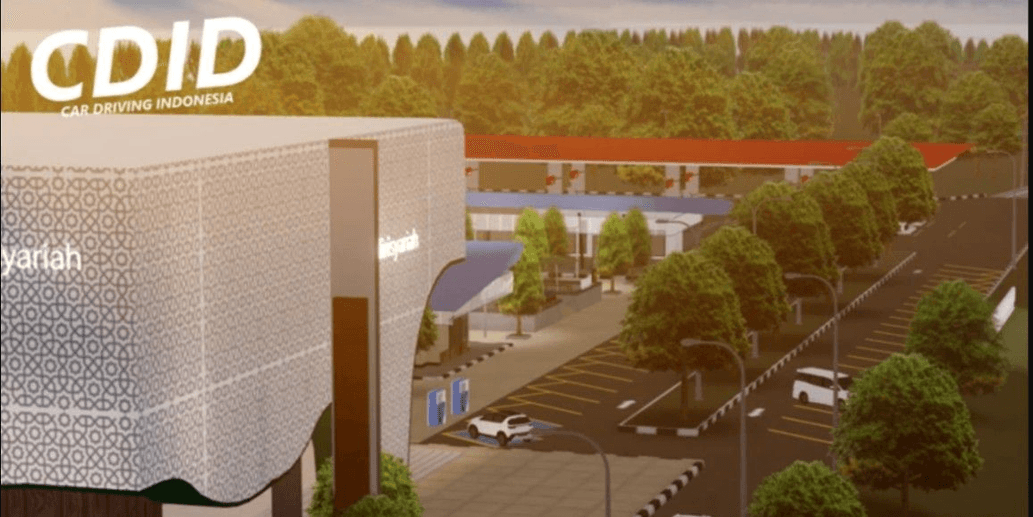
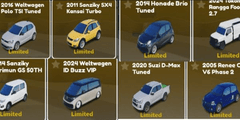
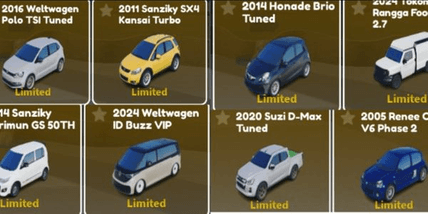
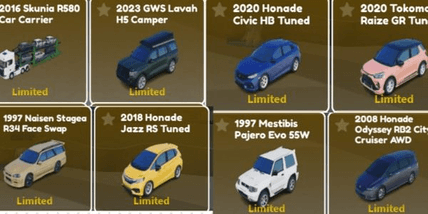
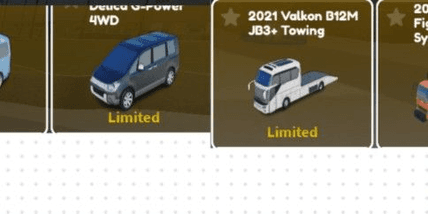
Limited: 20
2. Complete payment for your order.
3. Wait for the seller to provide the account username/email and password, or check the order details page to view the username/email and password sent by the seller.
4. Ensure the seller sends the RBL account data and email account data.
5. Once sent, please verify by logging into RBL.
6. Open the Settings menu and click Account Info. Check the Email Address section. Ensure the email address provided by the seller matches the one linked to the RBL account.
7. In Account Info, update the Username, Password (ensure to use uppercase & lowercase letters along with symbols and numbers), and enter a Phone Number.
8. Go to the Settings menu, click Security, then enter a PIN and enable 2-Step Verification.
9. Open the email provided by the seller, secure the email account immediately, and enable 2-Step Verification.
10. Ensure your account specifications match (Avatar items, in-game items and levels, Game Pass, etc.).
11. If everything is confirmed, the transaction is successful. Go to the Purchase History page and click the Complete button to finalize your order.
*Note: After receiving the account from the seller, you must secure it immediately to prevent loss. The account must be secured within 7 days of receiving it from the seller.
In-game money: 235M
GP: 0
Limited: 20
Offer Details


Dzaki Barokah
Last online 5 days ago
This Seller isn’t Taking Orders Right Now
You can try another seller.
100% Secure Payments Guaranteed by Trade Guard
This Seller isn’t Taking Orders Right Now
Check Other Sellers
04.6 / 5.0(36)
Offer Details
Dzaki Barokah
Last online 5 days ago
This Seller isn’t Taking Orders Right Now
You can try another seller.
100% Secure Payments Guaranteed by Trade Guard
This Seller isn’t Taking Orders Right Now
Check Other Sellers
Still looking for the right offer?
See All Offers