


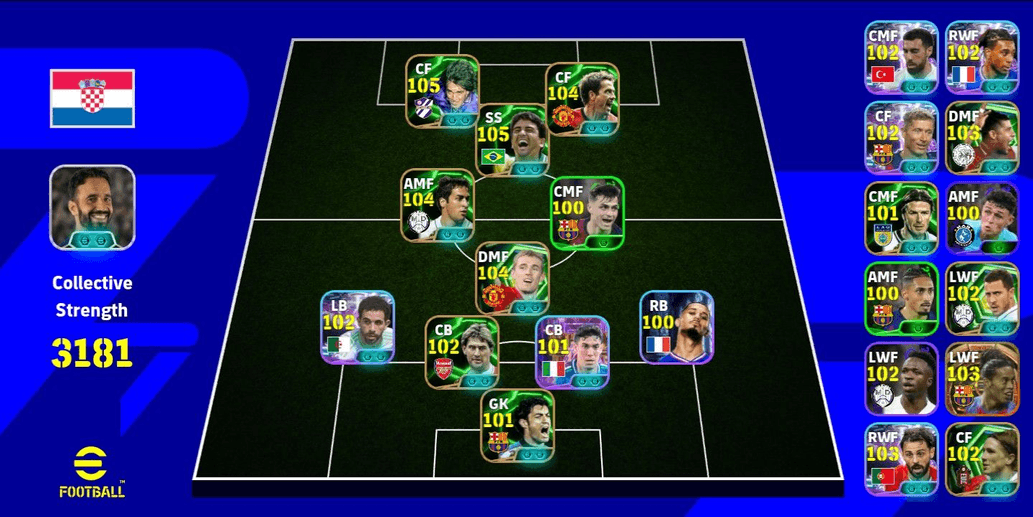
(WARRANTIED) EFOOTBALL ACCOUNT DARREN FLETCHER, RAYAN AIT-NOURI, KAKA, FERNANDO TORRES [4 MANAGERS BOOSTER]
(WARRANTIED) EFOOTBALL ACCOUNT DARREN FLETCHER, RAYAN AIT-NOURI, KAKA, FERNANDO TORRES [4 MANAGERS BOOSTER]
1/5
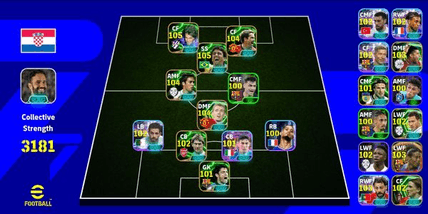
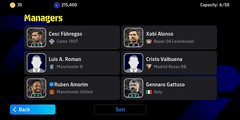
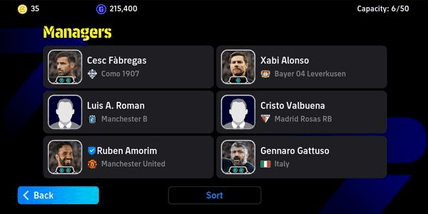
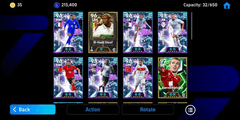
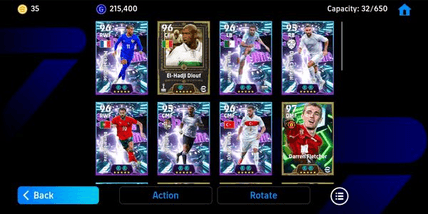
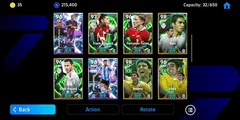
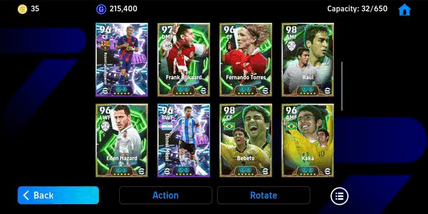
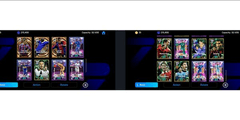
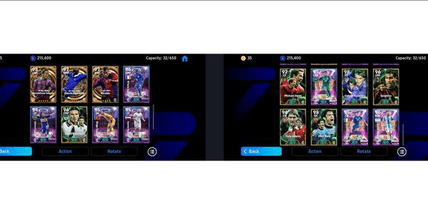
(WARRANTIED) EFOOTBALL ACCOUNT DARREN FLETCHER, RAYAN AIT-NOURI, KAKA, FERNANDO TORRES [4 MANAGERS BOOSTER]
0.0
0 reviews
USD 5.74
Price is not final
 Instant
Minimum Purchase:
1
Sold
1 (100%)
Average Delivery Time:
-
Product Description
⚠️ **PLEASE READ DESCRIPTION BEFORE PURCHASING** ⚠️
🌟 WELCOME TO SAVITAAR STORE 🌟
ACCOUNTS 100% match the pictures
‼️ **Purchasing = Understanding** ‼️
⚠️ Account sent AUTOMATICALLY after successful payment
Check: Account Menu > Purchase History > Already Sent
________________________________________________________________________
📋 HOW TO CLAIM ACCOUNT (3 STEPS):
🔹 STEP 1 - Get Redeem Code
Code Format: XXXX-XXXX-XXXX-XXXX (Example: A1B2-C3D4-E5F6-G7H8)
🔹 STEP 2 - Claim on Website
Open: https://savitaar.store/transfer
Enter Redeem Code → Click "Validate"
🔹 STEP 3 - Verify Email
• Enter personal email (Gmail/Outlook/Yahoo/iCloud)
• 8-digit OTP code sent to your email
• Enter OTP for activation
• Account details appear immediately
________________________________________________________________________
📨 ACCOUNT DETAILS RECEIVED:
**Game Email** = [email protected]
**Konami Password** = [Unique Password]
✅ Game email automatically FORWARDED to your personal email
✅ Receive Konami verification codes directly to your email
________________________________________________________________________
🔧 HOW TO LOGIN:
1️⃣ Open game → Choose KONAMI ID Login
2️⃣ Enter Email & Password from claim result
3️⃣ Verification code? Check your personal email
4️⃣ DONE! Account ready to play
________________________________________________________________________
📝 HOW TO CHANGE EMAIL TO PERSONAL:
1️⃣ Login to my.konami.net with game email
2️⃣ Menu > Personal Information > Email Address
3️⃣ Confirm verification code (check personal email, auto-forwarded)
4️⃣ Enter your new email
5️⃣ Confirm verification code in new email
6️⃣ Email successfully changed!
🛠️ Need help? OUR TEAM IS READY TO HELP!
________________________________________________________________________
❓ WHY BUY AT SAVITAAR?
✅ 24/7 Automatic System - Instant Delivery
✅ Secure Redeem Code - Encrypted
✅ Automatic Email Forwarding
✅ Multi-Language (ID/EN/MS)
________________________________________________________________________
⚠️ IMPORTANT NOTES:
• Code can be reused to view account details
• Save account details securely
• Do not share password
• Email forwarding active while using @savitaar.store
• After changing email, account is fully yours
________________________________________________________________________
📩 NEED HELP? Chat us!
(Sorry if slow response)
🛒 Shop now at SAVITAAR STORE! 🔥
🌟 WELCOME TO SAVITAAR STORE 🌟
ACCOUNTS 100% match the pictures
‼️ **Purchasing = Understanding** ‼️
⚠️ Account sent AUTOMATICALLY after successful payment
Check: Account Menu > Purchase History > Already Sent
________________________________________________________________________
📋 HOW TO CLAIM ACCOUNT (3 STEPS):
🔹 STEP 1 - Get Redeem Code
Code Format: XXXX-XXXX-XXXX-XXXX (Example: A1B2-C3D4-E5F6-G7H8)
🔹 STEP 2 - Claim on Website
Open: https://savitaar.store/transfer
Enter Redeem Code → Click "Validate"
🔹 STEP 3 - Verify Email
• Enter personal email (Gmail/Outlook/Yahoo/iCloud)
• 8-digit OTP code sent to your email
• Enter OTP for activation
• Account details appear immediately
________________________________________________________________________
📨 ACCOUNT DETAILS RECEIVED:
**Game Email** = [email protected]
**Konami Password** = [Unique Password]
✅ Game email automatically FORWARDED to your personal email
✅ Receive Konami verification codes directly to your email
________________________________________________________________________
🔧 HOW TO LOGIN:
1️⃣ Open game → Choose KONAMI ID Login
2️⃣ Enter Email & Password from claim result
3️⃣ Verification code? Check your personal email
4️⃣ DONE! Account ready to play
________________________________________________________________________
📝 HOW TO CHANGE EMAIL TO PERSONAL:
1️⃣ Login to my.konami.net with game email
2️⃣ Menu > Personal Information > Email Address
3️⃣ Confirm verification code (check personal email, auto-forwarded)
4️⃣ Enter your new email
5️⃣ Confirm verification code in new email
6️⃣ Email successfully changed!
🛠️ Need help? OUR TEAM IS READY TO HELP!
________________________________________________________________________
❓ WHY BUY AT SAVITAAR?
✅ 24/7 Automatic System - Instant Delivery
✅ Secure Redeem Code - Encrypted
✅ Automatic Email Forwarding
✅ Multi-Language (ID/EN/MS)
________________________________________________________________________
⚠️ IMPORTANT NOTES:
• Code can be reused to view account details
• Save account details securely
• Do not share password
• Email forwarding active while using @savitaar.store
• After changing email, account is fully yours
________________________________________________________________________
📩 NEED HELP? Chat us!
(Sorry if slow response)
🛒 Shop now at SAVITAAR STORE! 🔥
Offer Details


savitaar store
Last online 40 days ago
This Seller isn’t Taking Orders Right Now
You can try another seller.
100% Secure Payments Guaranteed by Trade Guard
This Seller isn’t Taking Orders Right Now
Check Other Sellers
Offer Details
savitaar store
Last online 40 days ago
This Seller isn’t Taking Orders Right Now
You can try another seller.
100% Secure Payments Guaranteed by Trade Guard
This Seller isn’t Taking Orders Right Now
Check Other Sellers
Still looking for the right offer?
See All Offers