


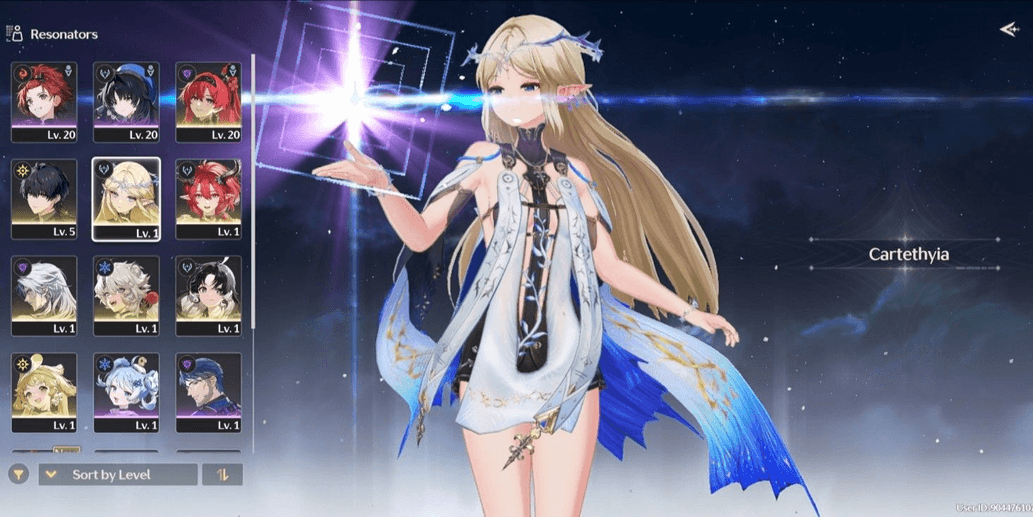
Starter SEA, UL8 || cartethyia SIGN + ciaccona + yinlin
1/4
Starter SEA, UL8 || cartethyia SIGN + ciaccona + yinlin
0.0
0 reviews
USD 21.23
Price is not final
Minimum Purchase:
1
Sold
0 (0%)
Average Delivery Time:
-
Product Description
Of course, here is the translation:
**Limited Resonators:**
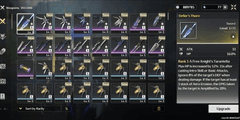
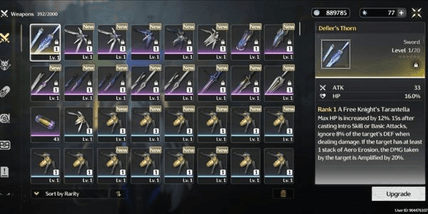
- Cartethyia + signature weapon
- Ciaccona
- Yinlin
**Standard Resonators:**
- Verina
- Calcharo
- Jianxin
- Lingyang
**Account Description:**
- Starter UL8
- SEA server
- Limited resonator banner rate-off
- Log in via Kuro Games only
- Dummy Gmail (take it)
- Manual work (No cheat), & no third-party plugins
- Account is made by the admin personally, & the admin is not a reseller, so the account is truly secure without any connection to other people
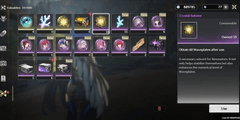
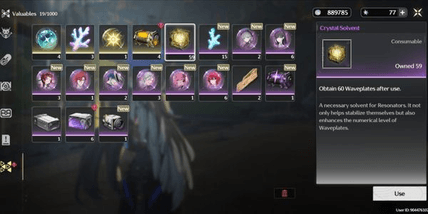
- The remaining Astrite / Radiant Tide / Forging Tide can change; it may decrease or increase from what is shown in the picture 🙏
♦️**How to secure the Gmail:**
- After making a purchase, wait for the admin to send the account data, or you can also contact the admin directly so the account data can be sent quickly.
- After the admin sends the account data, check the account first to ensure the contents match the description of the purchased account.
- Once the account has been checked and matches, then log into the Gmail on your device. Usually, when logging into Gmail, a code that goes to the admin's device is required, so message the admin again to request they select that code.
- Once the admin clicks the code, the Gmail can then be logged into on the buyer's device. Just secure the Gmail by changing the password, and if needed, you can add a recovery phone number + recovery email.
- After that, just delete the admin's device (POCO F6), and if needed, you can also ask the admin for a recording as proof that the Gmail was deleted from the admin's device.
- And done, the Gmail is secured 👌
♦️**How to secure the Kuro Games account:**
- After securing the Gmail, just change the Kuro Games password by opening the Wuthering Waves game first.
- Before logging into the account, there is a "Forgot Password" menu at the bottom of the login column; just click that menu.
- Then, enter the Kuro Games email and click "Get Verification Code."
- Check the code that arrives in the Gmail and enter it into the verification code column.
- Then, enter the new password twice (top and bottom) and make sure the top and bottom passwords are the same, guys, because if they're different it will fail.
- After that, click "Confirm" and you're done changing the Kuro Games password 👌
**Limited Resonators:**
- Cartethyia + signature weapon
- Ciaccona
- Yinlin
**Standard Resonators:**
- Verina
- Calcharo
- Jianxin
- Lingyang
**Account Description:**
- Starter UL8
- SEA server
- Limited resonator banner rate-off
- Log in via Kuro Games only
- Dummy Gmail (take it)
- Manual work (No cheat), & no third-party plugins
- Account is made by the admin personally, & the admin is not a reseller, so the account is truly secure without any connection to other people
- The remaining Astrite / Radiant Tide / Forging Tide can change; it may decrease or increase from what is shown in the picture 🙏
♦️**How to secure the Gmail:**
- After making a purchase, wait for the admin to send the account data, or you can also contact the admin directly so the account data can be sent quickly.
- After the admin sends the account data, check the account first to ensure the contents match the description of the purchased account.
- Once the account has been checked and matches, then log into the Gmail on your device. Usually, when logging into Gmail, a code that goes to the admin's device is required, so message the admin again to request they select that code.
- Once the admin clicks the code, the Gmail can then be logged into on the buyer's device. Just secure the Gmail by changing the password, and if needed, you can add a recovery phone number + recovery email.
- After that, just delete the admin's device (POCO F6), and if needed, you can also ask the admin for a recording as proof that the Gmail was deleted from the admin's device.
- And done, the Gmail is secured 👌
♦️**How to secure the Kuro Games account:**
- After securing the Gmail, just change the Kuro Games password by opening the Wuthering Waves game first.
- Before logging into the account, there is a "Forgot Password" menu at the bottom of the login column; just click that menu.
- Then, enter the Kuro Games email and click "Get Verification Code."
- Check the code that arrives in the Gmail and enter it into the verification code column.
- Then, enter the new password twice (top and bottom) and make sure the top and bottom passwords are the same, guys, because if they're different it will fail.
- After that, click "Confirm" and you're done changing the Kuro Games password 👌
Offer Details


Andreann
Last online 141 days ago
This Seller isn’t Taking Orders Right Now
You can try another seller.
100% Secure Payments Guaranteed by Trade Guard
This Seller isn’t Taking Orders Right Now
Check Other Sellers
05.0 / 5.0(27)
Offer Details
Andreann
Last online 141 days ago
This Seller isn’t Taking Orders Right Now
You can try another seller.
100% Secure Payments Guaranteed by Trade Guard
This Seller isn’t Taking Orders Right Now
Check Other Sellers
Still looking for the right offer?
See All Offers