


Starter SEA, UL8 || cartethyia SIGN + phoebe + zhezhi (UID 900)
1/4
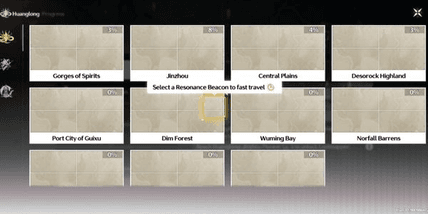
Starter SEA, UL8 || cartethyia SIGN + phoebe + zhezhi (UID 900)
0.0
0 reviews
USD 19.51
Price is not final
Minimum Purchase:
1
Sold
0 (0%)
Average Delivery Time:
-
Product Description
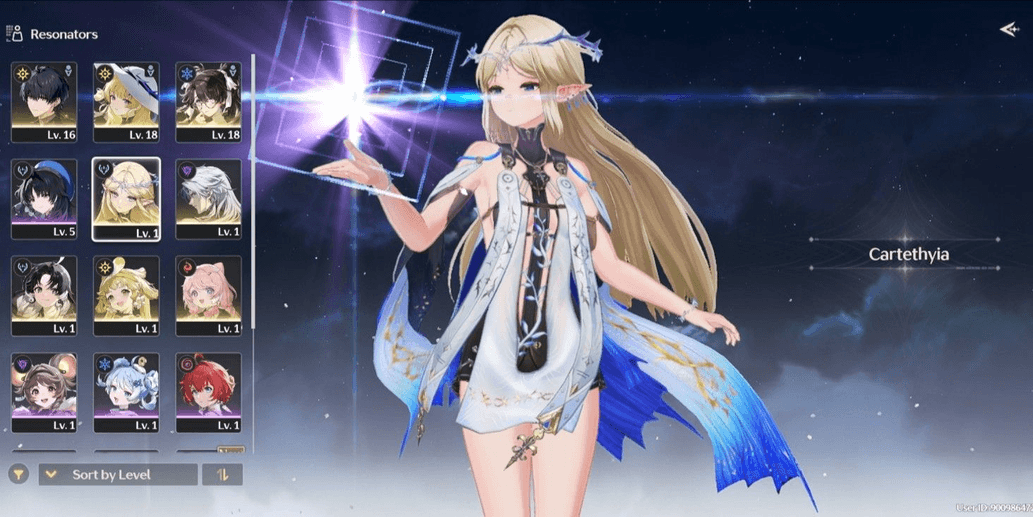
Limited Resonators:
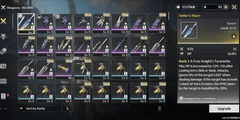
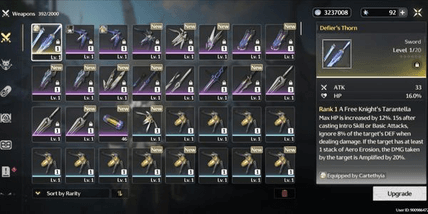
- Carthatia + signature weapon
- Phoebe
- Zhezhi
Standard Resonators:
- Verina
- Encore
- Calcharo
- Jianxin
Account Description:
- Starter UL8
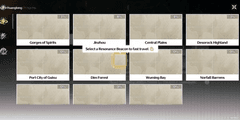
- SEA server, UID 900
- Limited resonator banner rate-off
- Login via Kuro Games only
- Dummy Gmail (included)
- Manually processed (no cheats), and no third-party plugins
- Account created by admin personally, and admin is not a reseller, so the account is completely secure with no ties to anyone else
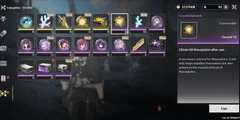
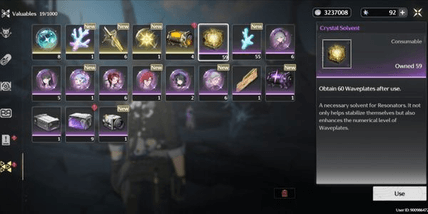
- Remaining astrite / radiant tide / forging tide may vary—it can decrease or increase from what is shown in the picture 🙏
🔷 How to secure the Gmail:
- After purchase, wait for the admin to send the account details, or contact the admin directly to speed up the process
- Once the admin sends the account details, check the account first to ensure its contents match the description of the purchased account
- After verifying the account, log into the Gmail on your device. Usually, logging into Gmail requires a code sent to the admin’s device, so message the admin again to request the code selection
- Once the admin clicks the code, the Gmail can be logged into on the buyer’s device. Secure the Gmail by changing the password and, if needed, adding a recovery phone number and email
- After that, simply remove the admin’s device (POCO F6), and if necessary, you can also request proof from the admin that the Gmail was removed from their device
- And done—the Gmail is secured 👌
🔷 How to secure the Kuro Games account:
- After securing the Gmail, simply change the Kuro Games password by first opening the Wuthering Waves game
- Before logging into the account, there is a "forgot password" menu below the login field—click that menu
- Then, enter the Kuro Games email and click "get verification code"
- Check the code sent to the Gmail and enter it into the verification code field
- Enter the new password twice (top and bottom fields) and make sure both entries are the same, guys, because if they differ, it will fail
- Then click "confirm," and the Kuro Games password change is complete 👌
- Carthatia + signature weapon
- Phoebe
- Zhezhi
Standard Resonators:
- Verina
- Encore
- Calcharo
- Jianxin
Account Description:
- Starter UL8
- SEA server, UID 900
- Limited resonator banner rate-off
- Login via Kuro Games only
- Dummy Gmail (included)
- Manually processed (no cheats), and no third-party plugins
- Account created by admin personally, and admin is not a reseller, so the account is completely secure with no ties to anyone else
- Remaining astrite / radiant tide / forging tide may vary—it can decrease or increase from what is shown in the picture 🙏
🔷 How to secure the Gmail:
- After purchase, wait for the admin to send the account details, or contact the admin directly to speed up the process
- Once the admin sends the account details, check the account first to ensure its contents match the description of the purchased account
- After verifying the account, log into the Gmail on your device. Usually, logging into Gmail requires a code sent to the admin’s device, so message the admin again to request the code selection
- Once the admin clicks the code, the Gmail can be logged into on the buyer’s device. Secure the Gmail by changing the password and, if needed, adding a recovery phone number and email
- After that, simply remove the admin’s device (POCO F6), and if necessary, you can also request proof from the admin that the Gmail was removed from their device
- And done—the Gmail is secured 👌
🔷 How to secure the Kuro Games account:
- After securing the Gmail, simply change the Kuro Games password by first opening the Wuthering Waves game
- Before logging into the account, there is a "forgot password" menu below the login field—click that menu
- Then, enter the Kuro Games email and click "get verification code"
- Check the code sent to the Gmail and enter it into the verification code field
- Enter the new password twice (top and bottom fields) and make sure both entries are the same, guys, because if they differ, it will fail
- Then click "confirm," and the Kuro Games password change is complete 👌
Offer Details


Andreann
Last online 141 days ago
This Seller isn’t Taking Orders Right Now
You can try another seller.
100% Secure Payments Guaranteed by Trade Guard
This Seller isn’t Taking Orders Right Now
Check Other Sellers
05.0 / 5.0(27)
Offer Details
Andreann
Last online 141 days ago
This Seller isn’t Taking Orders Right Now
You can try another seller.
100% Secure Payments Guaranteed by Trade Guard
This Seller isn’t Taking Orders Right Now
Check Other Sellers
Still looking for the right offer?
See All Offers