


Starter SEA, UL8 || iuno SIGN + brant SIGN + ciaccona
1/4
Starter SEA, UL8 || iuno SIGN + brant SIGN + ciaccona
0.0
0 reviews
USD 25.82
Price is not final
Minimum Purchase:
1
Sold
0 (0%)
Average Delivery Time:
-
Product Description
Okay, here is the translation of the provided text:
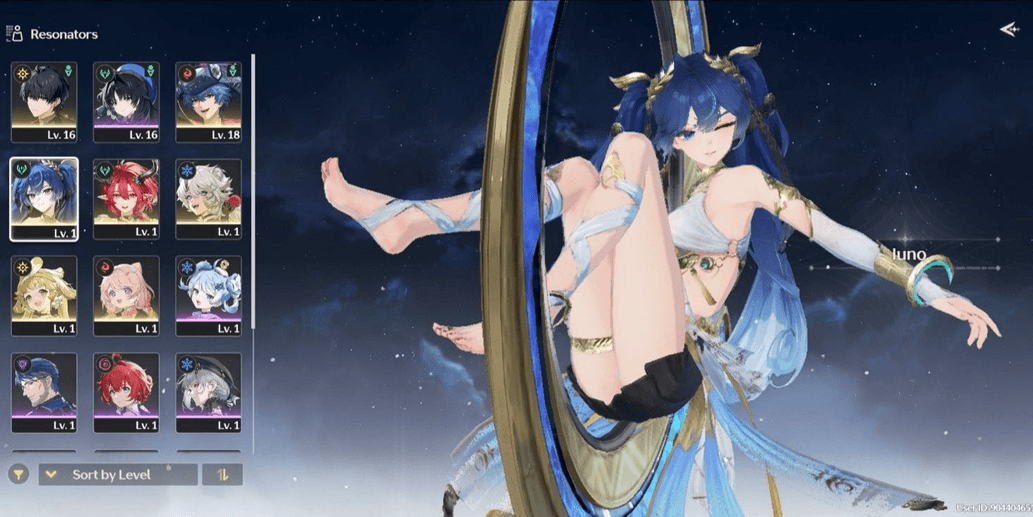
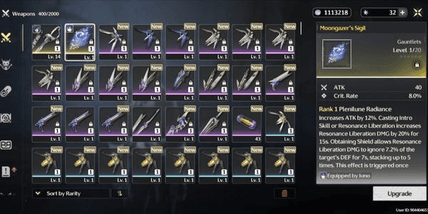
**Please Resonator limited (3 resonator + 2 weapon signature):**
* Iuno + weapon signature
* Brant + weapon signature
* Ciaccona
**Resonator standard:**
* Verina
* Encore
* Lingyang
**Account Description:**
* Starter UL8
* SEA server
* Limited resonator banner rate-off
* Login via Kuro Games only
* Dummy Gmail (take)
* Manual process (No cheat), & no 3rd party plugins
* Account created by admin personally, & admin is not a reseller, so the account is truly secure without any connection to others
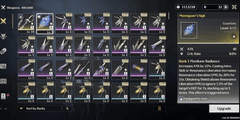
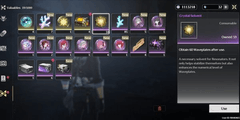
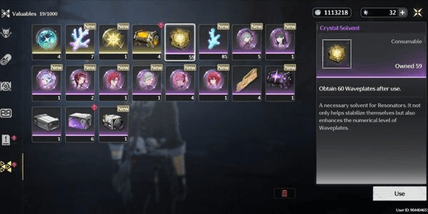
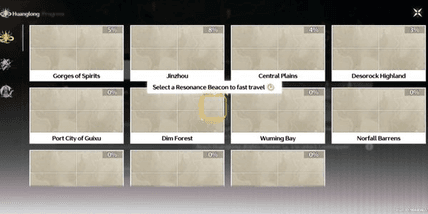
* The remaining Astrite / Radiant Tide / Forging Tide can change, may decrease or increase from what is shown in the picture 🙏
**♦️ How to secure the Gmail:**
* After purchase, wait for the admin to send the account data, or you can also contact the admin directly so the account data can be sent quickly
* After the admin sends the account data, check the account first to ensure the contents match the description of the purchased account
* Once the account is checked and matches, then log into the Gmail on your device. Usually when logging into Gmail, a code sent to the admin's device is needed, so message the admin again to request they select that code
* Once the admin clicks that code, the Gmail can then be logged into on the buyer's device. Just secure the Gmail by changing the Gmail password, and if needed, add a recovery phone number + recovery email
* After that, just delete the admin's device (POCO F6), and if needed, you can also ask the admin for a recording as proof of deleting the Gmail from their device
* & done securing the Gmail 👌
**♦️ How to secure the Kuro Games account:**
* After finishing securing the Gmail, just change the Kuro Games password by first opening the Wuthering Waves game
* Before logging into the account, there is a "Forgot Password" menu below the login field, just click that menu
* After that, enter the Kuro Games email, and click "Get Verification Code"
* Check the code received in the Gmail and enter it into the verification code field
* Then enter the new password twice (top and bottom) and make sure the top and bottom passwords are the same, guys, because if they're different it will fail
* After that, click "Confirm" and done changing the Kuro Games password 👌
**Please Resonator limited (3 resonator + 2 weapon signature):**
* Iuno + weapon signature
* Brant + weapon signature
* Ciaccona
**Resonator standard:**
* Verina
* Encore
* Lingyang
**Account Description:**
* Starter UL8
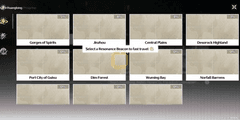
* SEA server
* Limited resonator banner rate-off
* Login via Kuro Games only
* Dummy Gmail (take)
* Manual process (No cheat), & no 3rd party plugins
* Account created by admin personally, & admin is not a reseller, so the account is truly secure without any connection to others
* The remaining Astrite / Radiant Tide / Forging Tide can change, may decrease or increase from what is shown in the picture 🙏
**♦️ How to secure the Gmail:**
* After purchase, wait for the admin to send the account data, or you can also contact the admin directly so the account data can be sent quickly
* After the admin sends the account data, check the account first to ensure the contents match the description of the purchased account
* Once the account is checked and matches, then log into the Gmail on your device. Usually when logging into Gmail, a code sent to the admin's device is needed, so message the admin again to request they select that code
* Once the admin clicks that code, the Gmail can then be logged into on the buyer's device. Just secure the Gmail by changing the Gmail password, and if needed, add a recovery phone number + recovery email
* After that, just delete the admin's device (POCO F6), and if needed, you can also ask the admin for a recording as proof of deleting the Gmail from their device
* & done securing the Gmail 👌
**♦️ How to secure the Kuro Games account:**
* After finishing securing the Gmail, just change the Kuro Games password by first opening the Wuthering Waves game
* Before logging into the account, there is a "Forgot Password" menu below the login field, just click that menu
* After that, enter the Kuro Games email, and click "Get Verification Code"
* Check the code received in the Gmail and enter it into the verification code field
* Then enter the new password twice (top and bottom) and make sure the top and bottom passwords are the same, guys, because if they're different it will fail
* After that, click "Confirm" and done changing the Kuro Games password 👌
Offer Details


Andreann
Last online 141 days ago
This Seller isn’t Taking Orders Right Now
You can try another seller.
100% Secure Payments Guaranteed by Trade Guard
This Seller isn’t Taking Orders Right Now
Check Other Sellers
05.0 / 5.0(27)
Offer Details
Andreann
Last online 141 days ago
This Seller isn’t Taking Orders Right Now
You can try another seller.
100% Secure Payments Guaranteed by Trade Guard
This Seller isn’t Taking Orders Right Now
Check Other Sellers
Still looking for the right offer?
See All Offers