
Sea King Jaw
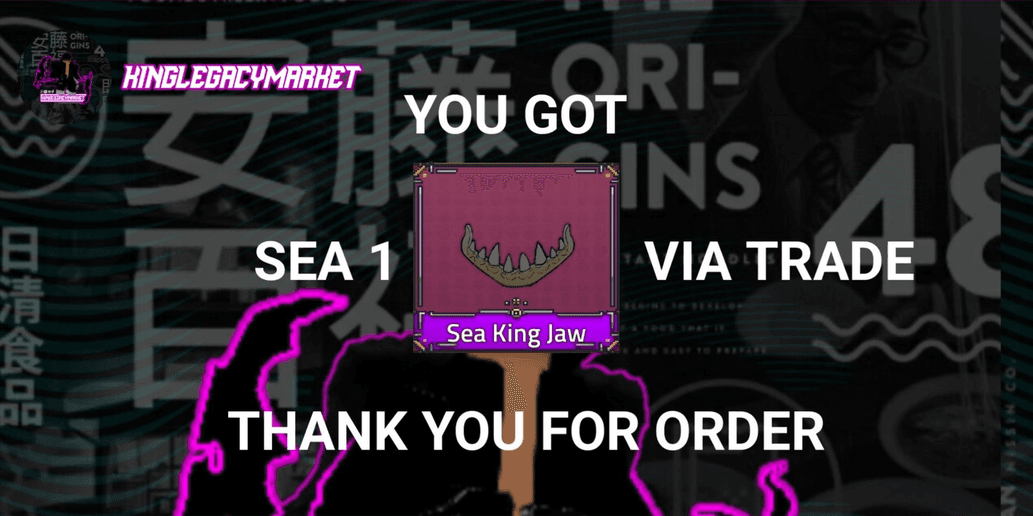
Product Description
Please read the description first!!! Enter username, not Display Name Example: Feastoy Must be in **First Sea** (to make it easier for all customers to interact) This store's system is: **[Pay > Add > Trade > Confirm Order]** *TRADE LEVEL SWORDS:* Longaevus - 3400 Muramasa - 3400 Avalon - 3000 Authentic Triple Katana - 3000 Quake Spear - 1925 Dragon Standard - 2000 Soul Cane - 3450 Phoenix Blade - 3000 Apollos - 3700 Metal Trident - 3275 Hell Sword - 3000 Authentic Mace - 3000 Daybreak Cleaver - 3600 Aquatic Anchor - 3600 Cookie Sword - 3250 Scepters Of Flame - 3600 Demon Trident - 2200 Adventure Knife - 3200 Mom blade - 1500 Sunken Blade - 3225 Pondere Blade - 3525 Tashi Blade - 1500 Shark blade - 1500 Gold Spear - 350 Pole - 1500 Triple Katana - 1500 Anubis Axe - 3150 Jitter - 1500 Barbaric Axe - 250 Katana - 1500 *TRADE LEVEL ACCESSORIES:* Glacier Shoulder - 2500 Green Drydalis - 2500 Floffy Glasses - 3775 Dragon Necklace - 3275 Dark Beard Hat - 3475 Inferno Cloak - 3600 Crimson Scarf - 3675 Sally Crown - 3450 Blue Scarf - 3275 Sea King Jaw - 3000 Oni Mask - 3375 Tengu Mask - 3350 Hefty Coat - 3550 Tomoe Taiko - 3600 Oceanic Tentacle - 4000 Lucidus Coat - 3575 Water Hydra Mask - 3600 Abyss Sentinel Armor - 4000 Flame Hair - 3300 Metal Fin - 4000 Biscuit Shoulder - 3250 Floffy Cloak - 3775 Pirate Necklace - 3275 Pondere Coat - 3525 Dark Beard Cloak - 3475 Hefty Glasses - 3550 Gladiator Helmet - 1500 Horned Hat - 500 Eye Patch - 3275 Gazelle Mask - 2350 Green Cloak - 1500 Red Cloak - 1500 Blue Cloak - 1500 Black Cloak - 1500 Shoulder Armor - 1500 Sentinel Armor - 4000 Stainless Jaw - 250 Blue Straw Hat - 1500 Bubble - 3000 First time using my items? You can ask the admin for a tutorial on how to confirm your order 😄 **Minimum trade level = 300** Please be patient and wait in line. If the admin is offline, you can wait. *"Admin is also human, you know~"* **Tutorial:** # How to Add Admin on Roblox • Log in to Roblox > Press 🔍 > Type "Feastoy" > Press the ➕ symbol > Chat the admin after requesting to add. # How to Confirm Order on Itemku Log in to Itemku > Account > Order Sent > Press "Complete" 🗣️: *"Is the store open 24 hours?"* 👤: *"Yes, that’s correct!"* 🗣️: *"What time does delivery start?"* 👤: *"08:00 - 23:00 WITA, but shifts apply."* 🗣️: *"Thanks for the info!"* 👤: *"No worries, everything will be answered politely here 👍🏻"* **Information:** • You can add the admin account "Feastoy" first so the admin only needs to accept the request. • The admin is a student, so please understand. • If the admin is offline, there are 3 possible reasons: school, eating, or personal matters. • The main reason for using shifts is because Itemku chat notifications sometimes don’t work/have issues, so please follow the delivery schedule. !!! **WARNING** !!! • After the item is delivered, please **confirm the order immediately** so the admin can restock! • **No confirmation = Next order delayed by 1 day, no exceptions.** • Toxic/racist behavior = **ignored**. • Spamming = **no service**. • Make sure you are in **Sea 1**. **DON’T FORGET TO LEAVE A ⭐5 RATING!** 😘


Product Reviews
0 / 5.0
Similar Offers
See All Offers
Still looking for the right offer?