


Account + Uneaten Fruit Gas Buddha Magma In Inventory | Blox Fruits Level 700 Account
Account + Uneaten Fruit Gas Buddha Magma In Inventory | Blox Fruits Level 700 Account
1/3

Account + Uneaten Fruit Gas Buddha Magma In Inventory | Blox Fruits Level 700 Account
5.0
2 reviews
USD 1.40
Price is not final
 Instant
Minimum Purchase:
1
Sold
3 (100%)
Average Delivery Time:
-
Product Description
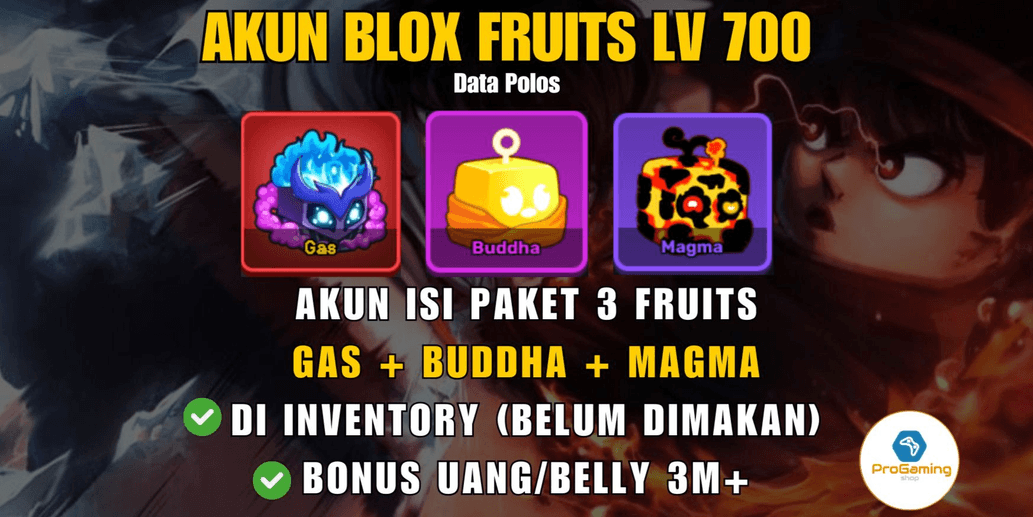
SELLING ROBLOX ACCOUNT - BLOX FRUITS LEVEL 700 PACK (CONTAINS 4 FRUITS: GAS-BUDDHA-MAGMA) UNEATEN.
About the Account:
A fresh level 700 account, great for gacha since the gacha cost is cheap (around 129k belly) and already in the Second Sea, so it can be used for trading.
✔️100% includes Gas + Buddha + Magma (Uneaten) in the inventory, so they can be transferred/traded to your main account.
✔️Bonus: Several other (common) fruits in the inventory.
✔️Bonus: Money/Belly 3m+.
✔️Fighting style: Dark Step.
✔️Ability: Air Jump, Aura, Flash Step.
✔️100% Legendary Sword Saber.
Security:
✔️Fresh data. No email or ID verification yet.
✔️Account age 13+.
✔️100% Safe, no hackback risk because this account was originally created by the seller.
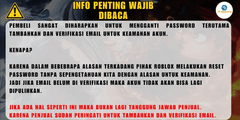
⚠️Buyers are highly encouraged to change the password, especially to add and verify an email for account security.
Why?
Because sometimes, for various reasons, Roblox may reset passwords without notice for security purposes.
If the email is not verified, the account cannot be recovered.
If such an incident occurs, it is no longer the seller's responsibility.
The seller has already warned to add and verify the email.
Delivery Method:
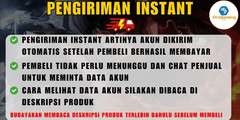
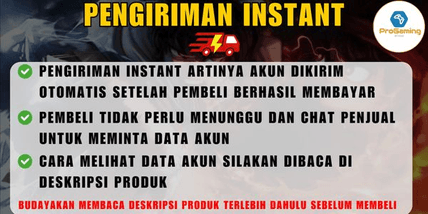
✔️Instant delivery means the account data will be sent automatically after payment and can be viewed in the purchase history.
📌How to view Account Data/Code/Voucher with Instant/Automatic Delivery:
If accessing Itemku via PC:
1. (On the homepage) Click your profile icon in the top right corner.
2. Under Purchase/Activity History, click "Already Sent."
3. Click the order you purchased, and the data will be there.
If accessing Itemku via Mobile:
1. Go to the Transactions or Account menu at the bottom right.
2. Under Purchase/Activity History, click "Already Sent."
3. Click the order you purchased, and the Account Data/Code/Voucher will be there.
- Or you can check Itemku's tutorial here:
https://itemku.com/pusat-bantuan/tanya-jawab/artikel/aku-membeli-voucher-dengan-pengiriman-instan-dimana-kode-akan-aku-terima/360016058172
📌After ordering, don’t forget to complete the transaction, boss! To do this, check your purchase history under "Already Sent" and click "Complete."
Have a nice day.
Regards,
ProGaming Shop🙂
About the Account:
A fresh level 700 account, great for gacha since the gacha cost is cheap (around 129k belly) and already in the Second Sea, so it can be used for trading.
✔️100% includes Gas + Buddha + Magma (Uneaten) in the inventory, so they can be transferred/traded to your main account.
✔️Bonus: Several other (common) fruits in the inventory.
✔️Bonus: Money/Belly 3m+.
✔️Fighting style: Dark Step.
✔️Ability: Air Jump, Aura, Flash Step.
✔️100% Legendary Sword Saber.
Security:
✔️Fresh data. No email or ID verification yet.
✔️Account age 13+.
✔️100% Safe, no hackback risk because this account was originally created by the seller.
⚠️Buyers are highly encouraged to change the password, especially to add and verify an email for account security.
Why?
Because sometimes, for various reasons, Roblox may reset passwords without notice for security purposes.
If the email is not verified, the account cannot be recovered.
If such an incident occurs, it is no longer the seller's responsibility.
The seller has already warned to add and verify the email.
Delivery Method:
✔️Instant delivery means the account data will be sent automatically after payment and can be viewed in the purchase history.
📌How to view Account Data/Code/Voucher with Instant/Automatic Delivery:
If accessing Itemku via PC:
1. (On the homepage) Click your profile icon in the top right corner.
2. Under Purchase/Activity History, click "Already Sent."
3. Click the order you purchased, and the data will be there.
If accessing Itemku via Mobile:
1. Go to the Transactions or Account menu at the bottom right.
2. Under Purchase/Activity History, click "Already Sent."
3. Click the order you purchased, and the Account Data/Code/Voucher will be there.
- Or you can check Itemku's tutorial here:
https://itemku.com/pusat-bantuan/tanya-jawab/artikel/aku-membeli-voucher-dengan-pengiriman-instan-dimana-kode-akan-aku-terima/360016058172
📌After ordering, don’t forget to complete the transaction, boss! To do this, check your purchase history under "Already Sent" and click "Complete."
Have a nice day.
Regards,
ProGaming Shop🙂
Product Rating
5/5
2 Ratings
5
2
4
0
3
0
2
0
1
0
Product Rating
View All5/5
2 Rating
5
2
4
0
3
0
2
0
1
0

No reviews yet for this product rating
Offer Details


ProGaming Shop
Last online 6 days ago
This Seller isn’t Taking Orders Right Now
You can try another seller.
100% Secure Payments Guaranteed by Trade Guard
This Seller isn’t Taking Orders Right Now
Check Other Sellers
04.9 / 5.0(448)
Offer Details
ProGaming Shop
Last online 6 days ago
This Seller isn’t Taking Orders Right Now
You can try another seller.
100% Secure Payments Guaranteed by Trade Guard
This Seller isn’t Taking Orders Right Now
Check Other Sellers
Still looking for the right offer?
See All Offers