


22500 Robux
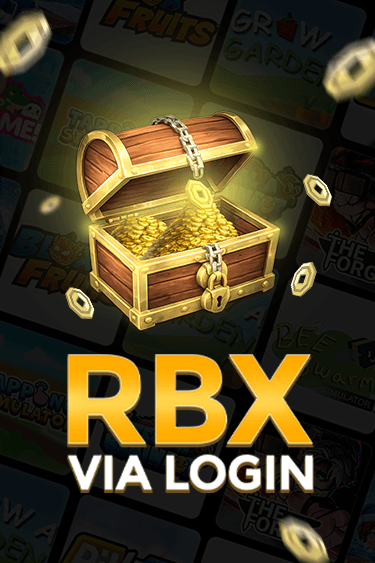
Roblox - 22500 Robux
0.0
0 reviews
USD 179.80
Price is not final
Can be activated in United States of America
80 Robux
400 Robux
500 Robux
800 Robux
1000 Robux
1500 Robux
1700 Robux
2000 Robux
4500 Robux
10000 Robux
22500 Robux
Denom:
Activation:
All Sellers (10)
Price Range










- 1

Digital Up
Last online 2 hours ago
Please BACA DESKRIPSI UNTUK DETAILNYA - READ DESCRIPTION FOR DETAILS
(ID) Cara Top Up via Login:
* Jika pakai Backup Code, buat terlebih dahulu (lihat panduan di bawah).
* Masukkan username/email & password akun.
* Lakukan pembayaran sesuai petunjuk.
* Tulis satu kode Backup di catatan pesanan (jika ada).
* Segera hubungi penjual selama proses.
* Tunggu pesanan diproses dan klik “Konfirmasi Pesanan” saat selesai.
* Demi keamanan, ganti password setelah pesanan selesai.
(ID) Cara Membuat Backup Code (Aplikasi Roblox):
* Buka Roblox App → Lainnya (More) → Pengaturan (Settings) → Keamanan (Security).
* Aktifkan Verifikasi 2 Langkah (Email Aman).
* Masukkan kode dari email untuk verifikasi.
* Gulir ke bawah, pilih “Kode Pemulihan → Buat (Generate)”.
* Setelah muncul daftar kode, salin/screenshot satu dan masukkan ke catatan pesanan.
(EN) How to Top Up via Login:
* If using a Backup Code, create it first (see guide below).
* Enter your username/email & password correctly.
* Make the payment as instructed.
* Write one Backup Code in the order note (if available).
* Contact the seller immediately during the process.
* Wait for the order to be processed, then click “Confirm Order” once completed.
* For security, change your password after completion.
(EN) How to Create Backup Code (Roblox App):
* Open Roblox App → More → Settings → Security.
* Enable 2-Step Verification (Email Secure).
* Enter the code sent to your email for verification.
* Scroll down and choose “Recovery Codes → Generate”.
* Once shown, copy/screenshot one code and include it in your order note.
(ID) Cara Top Up via Login:
* Jika pakai Backup Code, buat terlebih dahulu (lihat panduan di bawah).
* Masukkan username/email & password akun.
* Lakukan pembayaran sesuai petunjuk.
* Tulis satu kode Backup di catatan pesanan (jika ada).
* Segera hubungi penjual selama proses.
* Tunggu pesanan diproses dan klik “Konfirmasi Pesanan” saat selesai.
* Demi keamanan, ganti password setelah pesanan selesai.
(ID) Cara Membuat Backup Code (Aplikasi Roblox):
* Buka Roblox App → Lainnya (More) → Pengaturan (Settings) → Keamanan (Security).
* Aktifkan Verifikasi 2 Langkah (Email Aman).
* Masukkan kode dari email untuk verifikasi.
* Gulir ke bawah, pilih “Kode Pemulihan → Buat (Generate)”.
* Setelah muncul daftar kode, salin/screenshot satu dan masukkan ke catatan pesanan.
(EN) How to Top Up via Login:
* If using a Backup Code, create it first (see guide below).
* Enter your username/email & password correctly.
* Make the payment as instructed.
* Write one Backup Code in the order note (if available).
* Contact the seller immediately during the process.
* Wait for the order to be processed, then click “Confirm Order” once completed.
* For security, change your password after completion.
(EN) How to Create Backup Code (Roblox App):
* Open Roblox App → More → Settings → Security.
* Enable 2-Step Verification (Email Secure).
* Enter the code sent to your email for verification.
* Scroll down and choose “Recovery Codes → Generate”.
* Once shown, copy/screenshot one code and include it in your order note.
Stock: Last
SubtotalUSD 179.80
22500 Robux
USD 179.80
100% Secure Payments Guaranteed by Trade Guard