


USD $10
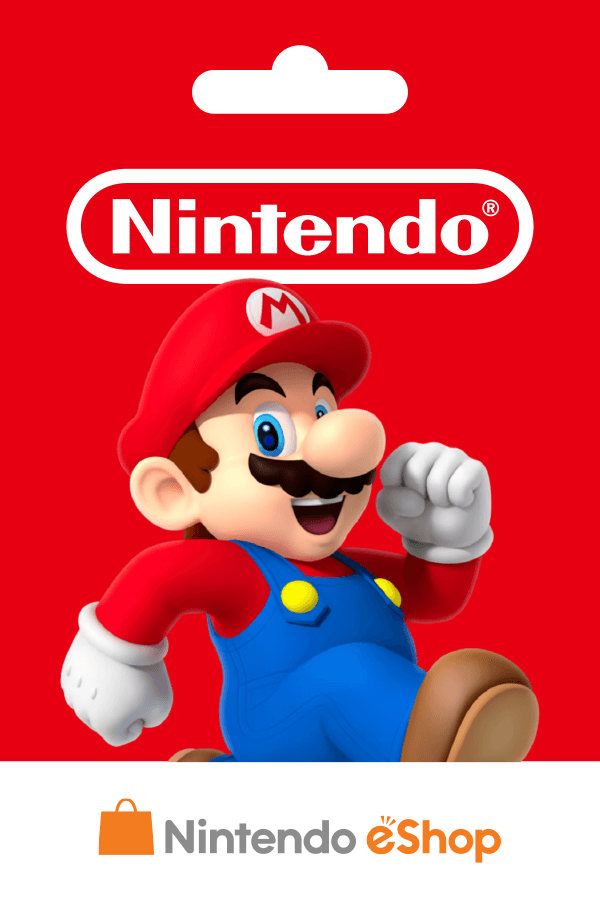
Nintendo - USD $10
5.0
1528 reviews
USD 9.94
Harga belum final
Dapat diaktifkan di United States of America
USD $5
USD $10
USD $20
USD $35
USD $50
USD $70
USD $25
USD $45
USD $99
Tipe Produk:
Denom:
Aktivasi:
Semua Penjual (17)
Rentang Harga











- 1
- 2


ibanezblackcom

Online
Brand: Nintendo
Type: Digital Code
Valid Locations: United States
Also available at ibanezblackcom:
Nintendo eShop US USD $5
Nintendo eShop US USD $10
Nintendo eShop US USD $20
Nintendo eShop US USD $25
Nintendo eShop US USD $35
Nintendo eShop US USD $50
Nintendo Switch Online 3 Months USA Individual
Nintendo Switch Online 12 Months USA Individual
Nintendo Switch Online 12 Months USA Family
Visit https://itemku.com/t/ibanezblackcom?item=nintendo-eshop-card&page=1
The perfect gift for anyone who loves to play—including you. Choose from over 1,000 new, classic and indie games – delivered directly to your Nintendo Switch, Wii U or Nintendo 3DS family of systems.
Nintendo eShop Digital Cards are redeemable only through the Nintendo eShop on the Nintendo Switch, Wii U, and Nintendo 3DS family of systems.
Digital Card balances can be shared across Nintendo Switch, Wii U and Nintendo 3DS family of systems, but may only be used on a single Nintendo eShop account.
Detailed instructions for redeeming by device:
Nintendo Switch
1. If you haven’t already, set up an internet connection on your Nintendo Switch system.
2. Make sure your Nintendo Switch system has the latest system update.
3. From the Nintendo Switch HOME Menu, select the Nintendo eShop icon.
4. Select “Enter Code.”
5. Enter your download code and click “Send.”
Your total balance cannot exceed $200.
Wii U
1. If you haven’t already, set up an Internet connection to your system and make sure your device has the latest system update.
2. From the HOME Menu, select the Nintendo eShop icon.
3. Select “Balance” from the menu on the left side of the screen.
4. Tap the button that says “Nintendo eShop Card.”
5. Tap the box that says, “Enter the code.”
6. Use the touch screen to enter the activation code from the Digital Card and tap “OK.”
7. Select “Add.”
Nintendo 2DS/3DS/3DS XL
1. If you haven’t already, set up an Internet connection to your system and make sure your device has the latest system update.
2. From the HOME Menu, select the Nintendo eShop icon.
3. Scroll left and select “Add Funds.”
4. Select “Redeem a Nintendo eShop Card.”
5. Tap the box that says, “Enter the activation code.”
6. Use the touch screen to enter the activation code from the Digital Card and tap “OK.”
7. Tap “OK” again.
All Digital Products at ibanezblackcom are:
**Legal**
Using legal payment methods, with invoices and underlying documents required by banks for payments to Suppliers or Vendors/Brands abroad (International Wire Transfer).
**Original**
Official products from Vendors or Brands and their partners. Every digital product code at ibanezblack is accountable (Invalid, not activated). Please read the product description first before making a payment.
ibanezblackcom has been trusted in Indonesia and several other countries since 2009.
Type: Digital Code
Valid Locations: United States
Also available at ibanezblackcom:
Nintendo eShop US USD $5
Nintendo eShop US USD $10
Nintendo eShop US USD $20
Nintendo eShop US USD $25
Nintendo eShop US USD $35
Nintendo eShop US USD $50
Nintendo Switch Online 3 Months USA Individual
Nintendo Switch Online 12 Months USA Individual
Nintendo Switch Online 12 Months USA Family
Visit https://itemku.com/t/ibanezblackcom?item=nintendo-eshop-card&page=1
The perfect gift for anyone who loves to play—including you. Choose from over 1,000 new, classic and indie games – delivered directly to your Nintendo Switch, Wii U or Nintendo 3DS family of systems.
Nintendo eShop Digital Cards are redeemable only through the Nintendo eShop on the Nintendo Switch, Wii U, and Nintendo 3DS family of systems.
Digital Card balances can be shared across Nintendo Switch, Wii U and Nintendo 3DS family of systems, but may only be used on a single Nintendo eShop account.
Detailed instructions for redeeming by device:
Nintendo Switch
1. If you haven’t already, set up an internet connection on your Nintendo Switch system.
2. Make sure your Nintendo Switch system has the latest system update.
3. From the Nintendo Switch HOME Menu, select the Nintendo eShop icon.
4. Select “Enter Code.”
5. Enter your download code and click “Send.”
Your total balance cannot exceed $200.
Wii U
1. If you haven’t already, set up an Internet connection to your system and make sure your device has the latest system update.
2. From the HOME Menu, select the Nintendo eShop icon.
3. Select “Balance” from the menu on the left side of the screen.
4. Tap the button that says “Nintendo eShop Card.”
5. Tap the box that says, “Enter the code.”
6. Use the touch screen to enter the activation code from the Digital Card and tap “OK.”
7. Select “Add.”
Nintendo 2DS/3DS/3DS XL
1. If you haven’t already, set up an Internet connection to your system and make sure your device has the latest system update.
2. From the HOME Menu, select the Nintendo eShop icon.
3. Scroll left and select “Add Funds.”
4. Select “Redeem a Nintendo eShop Card.”
5. Tap the box that says, “Enter the activation code.”
6. Use the touch screen to enter the activation code from the Digital Card and tap “OK.”
7. Tap “OK” again.
All Digital Products at ibanezblackcom are:
**Legal**
Using legal payment methods, with invoices and underlying documents required by banks for payments to Suppliers or Vendors/Brands abroad (International Wire Transfer).
**Original**
Official products from Vendors or Brands and their partners. Every digital product code at ibanezblack is accountable (Invalid, not activated). Please read the product description first before making a payment.
ibanezblackcom has been trusted in Indonesia and several other countries since 2009.
Stok: Tersisa 10
SubtotalUSD 9.94
USD $10
USD 9.94
100% Transaksi Aman Dijamin oleh Trade Guard