


Before you start resetting everything in your house, check the obvious first: server status.
Usually, you can tell instantly:
- If servers are down, everyone is locked out
- If performance is degraded, expect lag and slow matchmaking
- If everything is operational, the problem is probably yours
Server status tools update every few seconds and show real-time player reports. If thousands of people are complaining at the same time, congratulations, it’s not you.
If no one else is having issues… well, now it gets personal.
Why ARC Raiders Won’t Connect
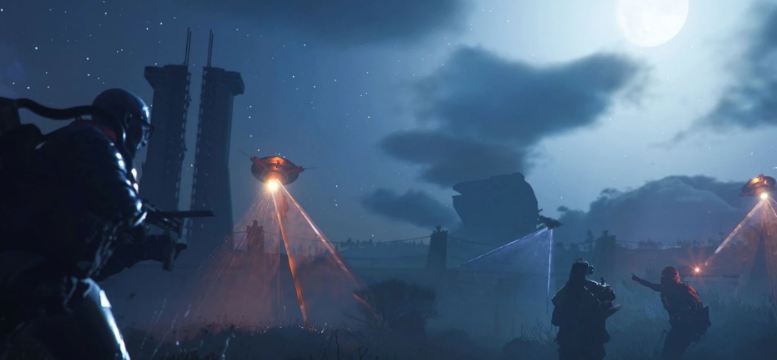
When servers are online but the game still won’t let you in, it usually comes down to a few common problems.
Sometimes it’s a clean error code. Occasionally it’s just silence and a spinning icon.
One of the most common ones is the following:
- ARMR0002 (Breakout error)
It sounds dramatic, but it usually just means matchmaking failed. It could be DNS issues, server protection, or just bad timing.
Other errors show up too:
- ARAV → anti-cheat problems
- AREX → disconnects during raids
- ARAU → login/auth issues
The names look intimidating. The fixes are not.
📖 Read More: Arc Raiders Broken Monument Quest Guide – All Locations

The Usual Fix (That People Ignore)
Most connection issues don’t need anything fancy.
Try this first:
- Restart the game
- Check your internet
- Restart your router
- Verify game files (on PC)
- Check if Steam, PSN, or Xbox Live is down
It’s basic. It’s boring. It works more often than it should.
When Matchmaking Takes Forever
You queue up. And wait. And wait a bit more.
If matchmaking isn’t working, it’s usually not random.
What’s actually happening:
- Servers are under load
- Your region doesn’t have enough players
- Matchmaking services are struggling
- Your network setup is being difficult
You can try:
- Switching server regions or setting it to Automatic
- Playing at a busier time
- Fixing strict NAT settings
Or just accept that sometimes the game isn’t in the mood.
Lag, High Ping, and Why Everything Feels Slow
Occasionally the game works… just badly.
📖 Read More: ARC Raiders Interactive Maps: All Loot, Events, Quest Locations, and POIs
Everything feels slightly behind; shots feel delayed, and movement feels off.
That’s usually latency.
What helps:
- Use a wired connection instead of Wi-Fi
- Close anything using bandwidth in the background
- Switch server regions
- Check your ISP
If none of that works, it’s probably not something you can fix mid-session.

Scheduled Maintenance (The Quiet Killer)
Not every outage is unexpected.
ARC Raiders regularly goes down for maintenance:
- Every Tuesday
- Around 6:00–10:00 AM UTC
- Lasts a few hours
During this time, nothing works. Not matchmaking, not login, nothing.
So if it’s Tuesday and the game is dead, don’t overthink it. It’s planned.
When Basic Fixes Aren’t Enough
If you’ve tried everything simple and the game still won’t cooperate, then you move to the slightly more technical side.
📖 Read More: ARC Raiders Release Date, Global Launch Time, and Preload Guide
Things that can actually help:
- Sync your device clock
- Switch to a public DNS
- Renew your IP address
- Disable VPNs or proxies
- Run network troubleshooting tools
- Clear your launcher cache
Also make sure your matchmaking region is set correctly. “Automatic” exists for a reason.
When It’s Definitely Not You
Sometimes everything looks fine on your end, but the game still breaks.
That’s when you check:
- Official updates from the developers
- Community reports
- Server status trackers
If enough players are reporting the same issue, it usually gets fixed quickly.
If not… well, now you know it’s just your setup.
Final Thoughts
When ARC Raiders stops working, the situation is always the same:
You don’t know if it’s the servers… or you.
The smartest move is always the simplest:
check server status first.
Because nothing feels worse than troubleshooting your entire setup, only to find out the servers were down the whole time.