



Roblox - Robux Via Login








- 1
- 2
229,753 Review
5
221,929
4
5,031
3
1,310
2
346
1
1,137
Latest Reviews

2. OPERATING HOURS 08.00 WIB - 00.00 WIB
3. IF THE STORE IS OPEN OUTSIDE OPERATING HOURS, PLEASE ASK THE SELLER VIA MESSAGE OR WE CAN PROCESS IT IN THE MORNING
4. BUYERS MUST STANDBY ON ITEMKU (NO SPAM CHAT & WAIT ACCORDING TO QUEUE)
*THOSE USING BACKUP CODES (MINIMUM 2 BACKUP CODES)
*THOSE USING EMAIL VERIFICATION (MUST STANDBY IN CHAT)
*THOSE VERIFYING VIA ACCOUNT (MUST STANDBY IN CHAT)
HOW TO TOP UP ROBUX
1. Select the robux amount
2. Enter username & password information
3. Complete payment
4. If using backup codes, you can inform in the notes
5. During the process, you can communicate with the seller via the message box.
6. Wait until your order is processed
7. If everything is correct, click confirm order
8. For your security, you must "CHANGE PASSWORD" after the order is completed
HOW TO CREATE ROBLOX BACKUP CODES
1. Open Roblox settings, select security
2. Enable authenticator or email security method
3. Select generate backup codes, then copy and send to admin via chat/notes
WARNING
1. INFORM THE AMOUNT OF ROBUX BEFORE FILLING
2. DURING THE FILLING PROCESS, DO NOT CHANGE PASSWORD
What is Robux in Roblox?
Robux is a virtual currency used in Roblox that can be purchased with real money. Robux is used to purchase virtual items such as clothing, accessories, and equipment for avatars, as well as to purchase game tickets, and much more.
Usage of Robux:
1. Avatar Customization: Players can buy clothing, accessories, hairstyles, and other items to personalize their avatars.
2. Game Passes: Robux can be used to purchase game passes which provide special abilities, items, or access to exclusive areas within specific games.
3. Private Servers: Players can spend Robux to create private game servers.
4. In-Game Purchases: Many games on Roblox offer additional content, items, or boosts that can be bought with Robux.
5. Developer Tools: Developers can use Robux to buy assets, plugins, and other tools to help create and improve their games.
What is "Robux via Login"?
Robux via Login is a method provided by Itemku where Robux is directly credited to your Roblox account by providing your account details. This method is designed to be quick and secure, offering a seamless transfer of Robux without the need for vouchers or codes. This is also a good way to save on your Robux purchase.
How It Works
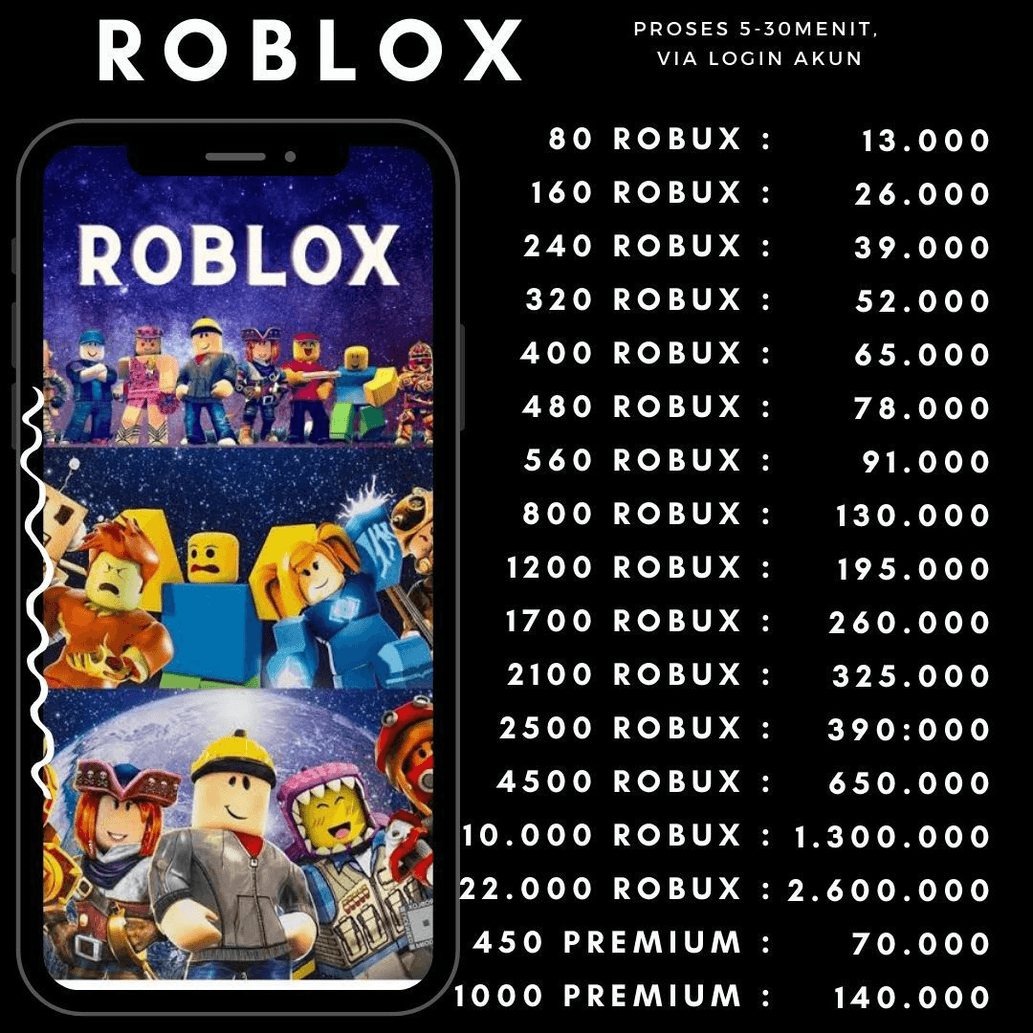
Select the Amount
Choose the amount of Robux you wish to purchase from the Robux via Login section on Itemku.
Log In
Provide your Roblox account details (username/email and password) to facilitate the transfer.
Complete the Purchase
Use your preferred payment method to finalize the transaction.
Receive Robux
The Robux will be credited directly to your account, usually within a few minutes to a few hours.
What Are the Benefits of Such Method?
Quick Delivery
The Robux are credited almost instantly after the purchase, allowing you to start using them right away.
Security
The process ensures your account details are used securely, preventing unauthorized access.
Convenience
No need for codes or vouchers, simplifying the process.
Cost-Effective
Typically, "Robux via Login" is cheaper, costing around half a dollar per 100 Robux, compared to Robux vouchers, which can cost between 2 to 3 dollars per 100 Robux.
Top Up Roblox Robux Via Login on Itemku
To buy Robux in Roblux, you can visit Itemku, where you can find various quantities of Robux options available for purchase. On Itemku, you can top up Robux with guaranteed instant delivery or within 10 minutes. Buy your Robux now at Itemku for fast delivery at the best prices!